
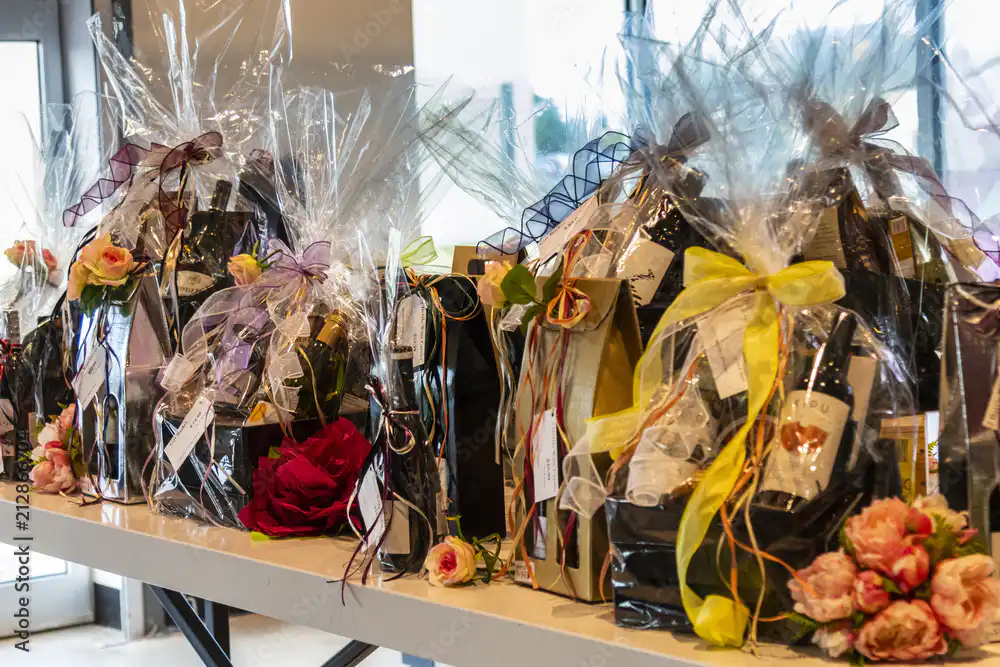
When we’re looking for gifts for a friend, loved one, or family member, a gift basket filled with beverages is sure to be a hit with just about anyone. That’s good news for you as a beverage retailer, because it allows you to appeal to both new and existing customers and create a new product using your existing inventory. With the right online business or point-of-sale software Put together an original gift basket like this quickly and at the right price. Here are a few tips to get you started!
Tip 1: Tailor your offerings to your customers
Before you start putting together a gift basket, it’s best to ask yourself who you’re making it for. So take a look at your statistics and see which items are selling best. Abbey beers, French wines, gin and tonics… your most popular products should definitely be grouped by theme. Also, be sure to consider seasonal products. A gift basket for December will look different from one for August. But we don’t need to tell you that.
Tip 2: Choose a theme for your custom gift basket online
Themed gift baskets are always a hit. Father’s Day and Christmas are, of course, obvious themes, but you can also think outside the box. For example, you can tie gift baskets to seasons or holidays, such as a ‘Stay Nice and Warm’ jenever basket during the winter or a ‘Enjoy Gin & Tonic’ basket during the summer. You can also choose everyday themes, such as a ‘Watching Soccer with Friends’ beer basket or a ‘Romantic Evening’ wine package.
Need images? Use one of these free image libraries:
- Pixabay
- Unsplash
- Pexels
Tip 3: You're the drinks expert—show it off with tasty combinations!
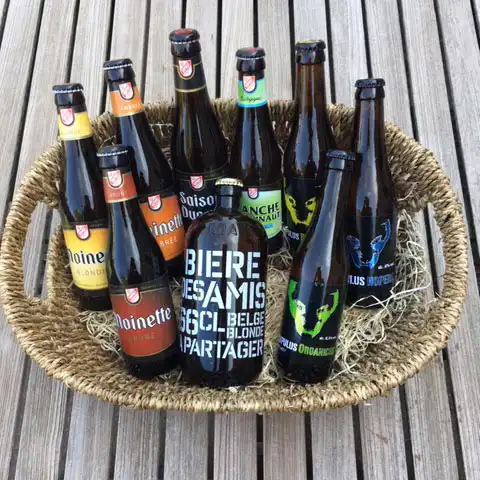
When putting together a gift basket, you should consider not only the price but also the different flavors, so that they complement each other. A gift basket with five identical bottles of wine is fine, but a selection of red wines from a specific region is still a bit more appealing.
You can also do this with Trappist beers or gin. For example, you can work your way from light to strong, or combine four completely different flavors (sweet, bitter, salty, sour). Offer plenty of variety in both types of gift baskets (beer, wine, spirits) and sizes (5, 10, or 15 bottles). That way, every customer is sure to find something to their liking.
Tip 4: Pay attention to the packaging and fun extras
It may be called a gift basket, but you can also use a wooden crate, a pretty little bucket, or any other container. Let your creativity run wild! Just don't forget to factor that in.
Now that you’ve carefully selected your drinks, you can fill your basket with snacks and accessories. These can range from chips and nuts to matching glasses and bottle openers—as long as they go well with your drink selection. You can even take it a step further and add a fun hat or a pair of trendy sunglasses to a winter or summer basket.
Tip 5: Sell your gift basket at the right price
With the right software for liquor and wine stores Here’s how you put together an online gift basket. You scan the bottles you want to include in the basket, and the system adds up the retail prices. You also select extras—such as the basket itself, decorative materials, paper, foil, and ribbons—from the system so that their cost is correctly added as well, because every little bit counts! You ERP system I’ll now suggest a price based on the items, but make sure you can still raise this total price a bit because your beautiful basket is worth more than the sum of its parts! With your next click, a price tag with a barcode should roll out of your printer, which you can immediately stick on your basket—no hassle. So when someone comes to the register with your gift basket, you can simply scan it and ring it up at the correct price. This way, you’ve helped the customer quickly, and in the background, your inventory is automatically updated, so everything runs smoothly during your evening cash-out.
What you should definitely not do:
- Don't forget to let your customers know about your selection of gift baskets. So be sure to feature your baskets in your newsletter, on your online store, in the flyers you distribute, and definitely in your store window!
- Simply display the baskets without making a big deal out of it. Give them a fun name, make sure they're prominently visible, and complete the look with plenty of decorations.
- Add a touch of marketing—even if it’s just sharing photos on social media or slipping a card into the basket with a subtle promotion for your store—so the recipient will stop by sometime!
So be sure to offer gift baskets at your wine and liquor store. A thoughtfully curated gift basket enhances your store’s image, boosts your sales volume, and gives you an opportunity to showcase lesser-known or new products.
Drinkmaster 365, the industry-specific ERP solution for the beverage retail sector, helps you manage gift baskets. In addition, the software helps you manage product prices and inventory availability without any extra work, and provides you with business and point-of-sale software that online store integrates seamlessly into business operations.


