

It's not always clear what the point of leads in Microsoft Dynamics CRM. Customers who are just getting started with Microsoft Dynamics CRM sometimes ask why they ‘’suspects" / ‘’prospects" cannot simply be categorized as ‘Contact’ and ‘Account’ records. For some companies, using leads is indeed irrelevant. But sometimes a company doesn’t want to use lead records because it doesn’t immediately see the value in them. We want to address that. An important point to note here is that every company operates differently and that you can configure and customize your CRM however you like. Below, we’ll discuss the standard use of leads in Microsoft Dynamics CRM.
What is a lead?
A ‘’lead" is a person or company that may be interested in purchasing your products or services. Whether there is actual interest remains to be seen. By default, ‘’Lead" Records in Microsoft Dynamics CRM are therefore used to potential customers to store leads for which you don’t yet know if there is genuine interest. Generally speaking, you haven’t had any contact with the people behind your lead records, and there are no existing relationships between you. There’s a risk that your sales team could waste time on uninterested leads, and of course, you want them to focus on the opportunities that really matter. That’s a good first reason to separate leads from your ‘Contact’ records in your CRM database.
A lead in Microsoft Dynamics CRM allows you to enter contact and company information on a single form (instead of one record for the contact person, one record for the organization, and one record with information about the potential opportunity). The goal is to build a valuable relationship from a lead and, if possible, identify a sales opportunity.
Lead Generation and Qualification
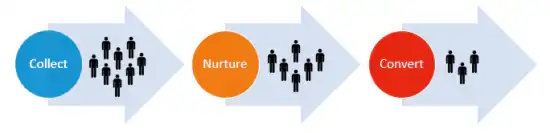
Generating leads (lead generation) is an important marketing objective. The lead itself goes through a purchasing process (buyer's journey) in which the sales team ultimately determines whether there is a business opportunity with the potential customer (i.e.,. qualification). The lead qualification process varies from company to company, but the goal is clear. Through a phone call or an initial visit, you try to determine whether there is interest in what you do and whether your potential customer plans to make a decision in the foreseeable future. The more concrete the information you can gather about the sales opportunity, the better. If there isn’t enough interest, then disqualifies you take the lead. If there is interest, then qualifies you take the lead, and the record is converted to a ‘Opportunity’.
Of course, you can simply add potential customers directly to a ‘Contact’ record and a ‘Account’ record labeled ‘’Suspect" or ‘’Prospect" and work directly from this list. But if you do this, you’ll miss out on insight into the interaction between marketing and sales. Using leads in Microsoft Dynamics CRM allows you to answer questions such as:
- Which campaign generated the most leads?
- Which type of campaign generates the best leads?
- How many leads come in each month?
- Where do the leads come from? Through which channel?
- What percentage of % leads does the sales team convert?
- Who converts leads? And who doesn't?
- …
Uses of Leads in Microsoft Dynamics CRM
EXAMPLE 1 – Sequence of events:
As an exhibitor at an event or trade show, you’ve collected dozens of business cards. You want to enter these cards into Microsoft Dynamics CRM so you can follow up with them. These cards represent potential customers from whom you still need crucial information, so there’s a good chance you’ll waste a lot of time if it turns out there isn’t enough interest. That’s why you create a lead record per business card.
EXAMPLE 2 – Purchase of a database:
You purchase a database containing prospect information on decision-makers from a specific industry. Based on the criteria you provided to the database supplier, there is a chance that those companies could benefit from your product or service. You import this list into lead records in Microsoft Dynamics CRM.
EXAMPLE 3 – Inbound Marketing & Lead Scoring:
You’ve optimized your website for search engines, and it’s easy to find. You also use blogs and social media to drive traffic to your website. A visitor to your company’s website is initially tracked as an anonymous user in your CRM system. After some time, this anonymous visitor decides to download a white paper from your website and fills out a web form to do so. From this point on, this potential customer is given a name, and this anonymous visitor becomes a new lead a record in Microsoft Dynamics CRM that you can track and continue to update (nurture marketing). In addition, you can work with lead scoring. This means that every interaction a lead has on your website or via email automatically earns points in the CRM. The more points a lead scores, the higher their likely level of interest. In this way, your CRM system automatically determines when leads reach a certain score indicating that they are interested enough to be contacted by a sales representative. This results in improved sales performance.


