

Via A/B testing (also known as split testing) allows you to test which versions of an email perform best:
- Which email option will it be? most open (Open Rate)?
- Which email version provides it? highest number of clicks on (Click-Through Rate)?
- Which email variant leads to the conversion rates (Conversion rate)?
This will help you further optimize your email marketing.

A/B Testing with ClickDimensions
With ClickDimensions, a marketing automation tool for Microsoft Dynamics 365, you can easily A/B testing for your email marketing. In this process, two versions of your email are sent to a small initial subset of the mailing list, and then the winning version is sent to the rest of the mailing list. The emails can vary in terms of subject line, sender, email address, and content. The two versions are referred to as Strategy A and Strategy B.
How do you go about it?
Step 1: create a ‘Send Email’-record'.
To set up A/B testing in ClickDimensions, first create a ‘Send Email’-record and add at least 3 recipients.
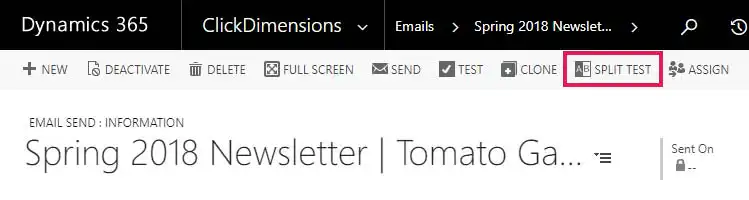
Step 2: Open the relevant Email Send record > select from the menu bar Split Test.
Step 3: You will then see the screen Split-Test Content. Here you can create a variation of your original email.
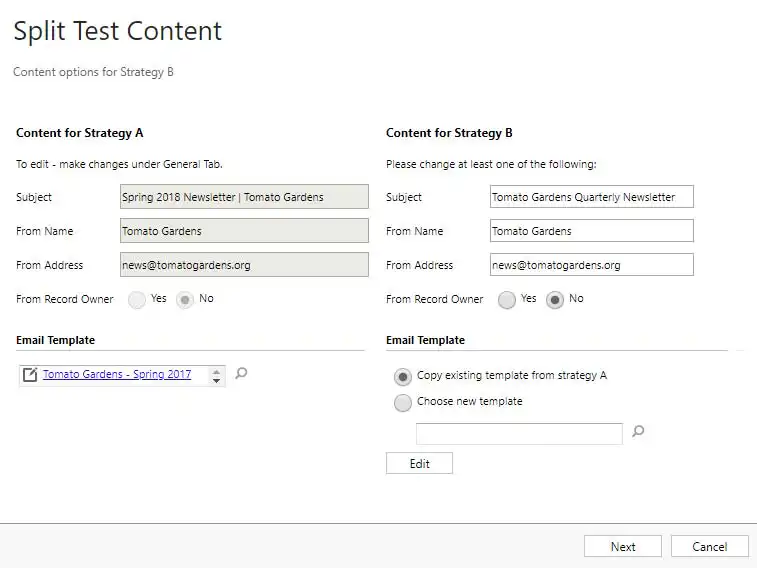
On the left, you'll see the details of Strategy A. This automatically copies everything you entered and selected in the original Email Send record (see step 1). You can use the data from Strategy A not adjust.
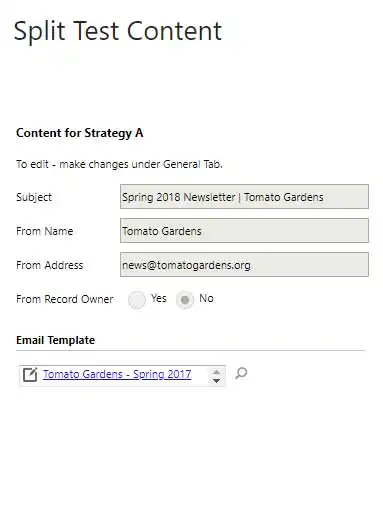
On the right, you'll see the information for Strategy B.
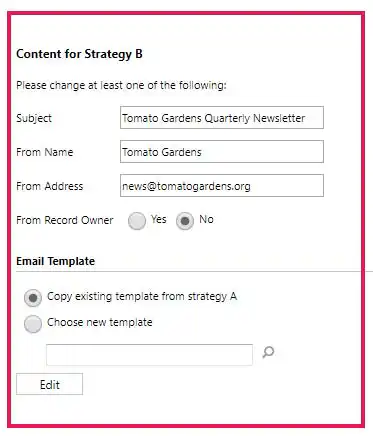
Here, you can change a number of things:
- Subject (Subject):
For example, you can test different subject line lengths, such as ‘Alistar Newsletter’ versus ‘Alistar Customer Relationship Management Newsletter.’ Or you can include the recipient’s name, the company name, or a call to action in the subject line.
- Sender (From Name):
For example, you can send the email on behalf of the company (Alistar), on behalf of a department (Alistar Marketing), or on behalf of the ‘record holder’ (this is the sales representative for the customer).
- Email address (From Address):
You could try using a general email address (marketing@alistar.net) instead of a personal email address (jan.hofman@alistar.net) and see which one performs better.
- Contents (Choose a new template or edit):
You can also choose a different ClickDimensions email template or customize the email template used for Strategy A for Strategy B.
You can create an email version with a different layout, more or fewer images, more personalized content based on your CRM data, different calls to action, and so on. .
Tip!!
When you start A/B testing, we recommend changing only one variable per test. That way, you can be sure exactly which variable led to more Open Rates, Click-Through Rates, conversions, … . The more variables you change in a single test, the harder it is to determine the cause.
Step 4: If you have modified a variable, click Next. You will then see the screen below appear. Here you can choose what percentage Your recipients will receive either the A or B version until a winning version is selected—either automatically or by you. The winning version will then be sent to the rest of your recipients.
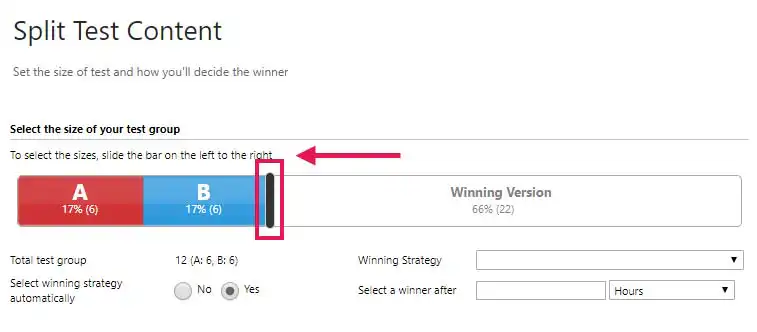
If you want to adjust the size of the test group and the winning group, you can do so by moving the black slider. You can also specify the following:
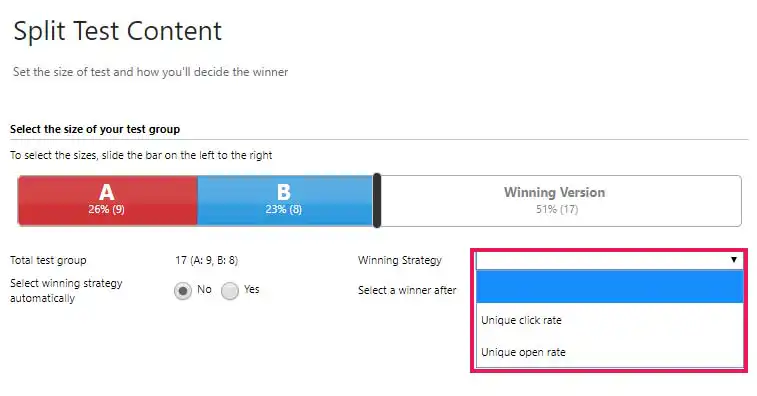
- You can choose to select the winning email version based on the number of times a link within the email is clicked (Unique Clicks) or how many times the email is opened (Unique Opens).
- You can specify whether the winning variant should be sent manually or automatically. The advantage of automatic sending is that A/B testing can be set up for a specific period (hours, days, weeks), and ClickDimensions will automatically evaluate the test and send out the winning version during that time. This means you don’t have to invest as much time and effort yourself.
If you do decide to send the emails manually, you’ll need to evaluate the A/B test yourself and send the winning version of the email. This gives you more control, but it takes more of your time.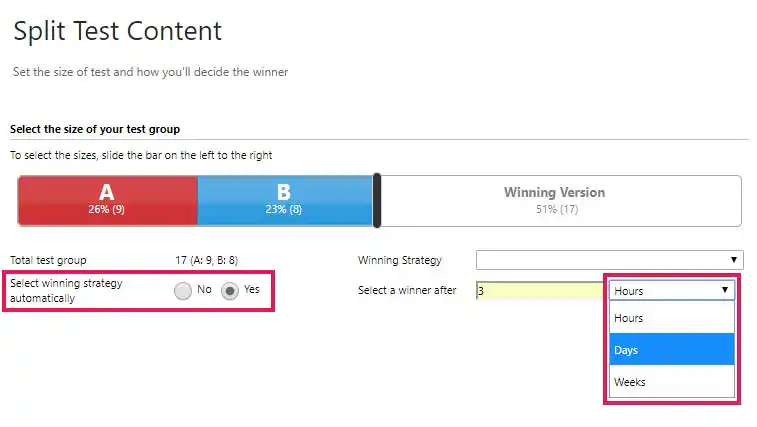
Step 5: Once you have selected all the options, click ‘Save and Send’ and the A/B testing begins.
Step 6: view the A/B testing statistics. Go to Marketing > Email Sends > Change the ‘View’ to Split Test > Open the relevant Split Test Record > Scroll down until you see the statistics.
In addition to the traditional statistics for ClickDimensions emails sent, you’ll see additional statistics for A/B testing. Because the winning version is selected based on ‘Unique Clicks’ or ‘Unique Opens’, ClickDimensions automatically generates a graph showing the results of both email versions.
For some extra inspiration: on the American blog WHICH TEST WON? Every week, you'll find interesting A/B testing case studies.


