

It is now possible (preview feature) to create paginated reports in the PowerBI.com environment. The capabilities are still fairly basic at this point, but it does appear that the tool is becoming more user-friendly thanks to its WYSIWYG (What You See Is What You Get) functionality compared to the desktop (Power BI Report Builder) version.
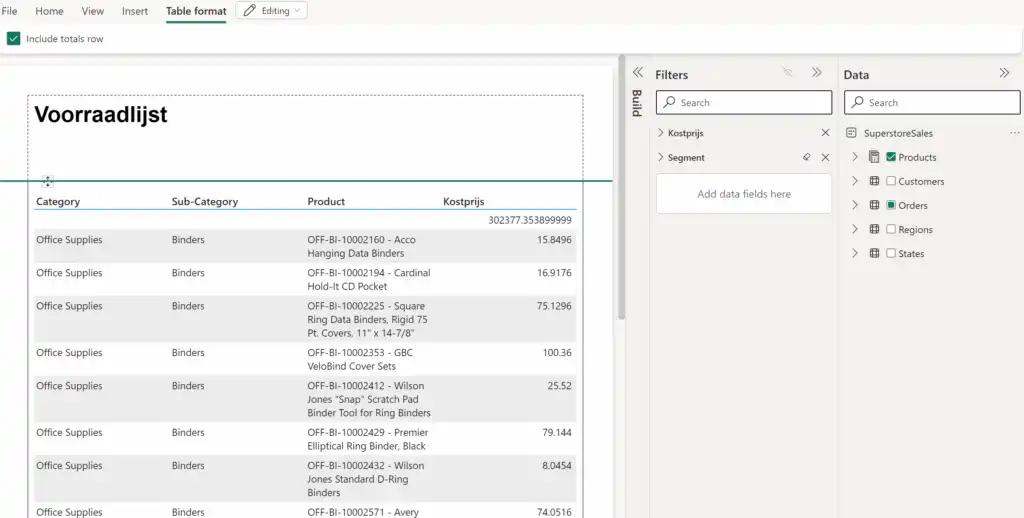
Paginated Reports addresses reporting needs that go beyond those of a Power BI report. In most organizations, there is still a need to create reports—in addition to Power BI reports—that either span multiple pages, need to be printed, or must adhere to a fairly specific layout. The desktop tool Power BI Report Builder—whose predecessor has a long history as part of the on-premises SSRS—meets these kinds of needs. However, the tool is significantly more complex than Power BI, and development time is generally longer than when creating a report in Power BI. But this new functionality appears to be changing that. The development process now closely resembles that of creating a Power BI report. In this release, it’s still very basic; many core features are missing, such as table formatting options, parameters, expressions, and the ability to choose visualizations other than tables. However, you can download the report in RDL format and, if necessary, continue working on it in the Power BI Report Builder desktop tool. The view mode and its associated export options remain unchanged, of course, regardless of whether the report was created in the Power BI service or the Power BI Report Builder desktop tool.
Conclusion
The ability to create paginated reports in a user-friendly way in the Power BI Service is a welcome development. However, we’ll have to wait a while for some additional functionality to make this feature in the Power BI Service more useful.


