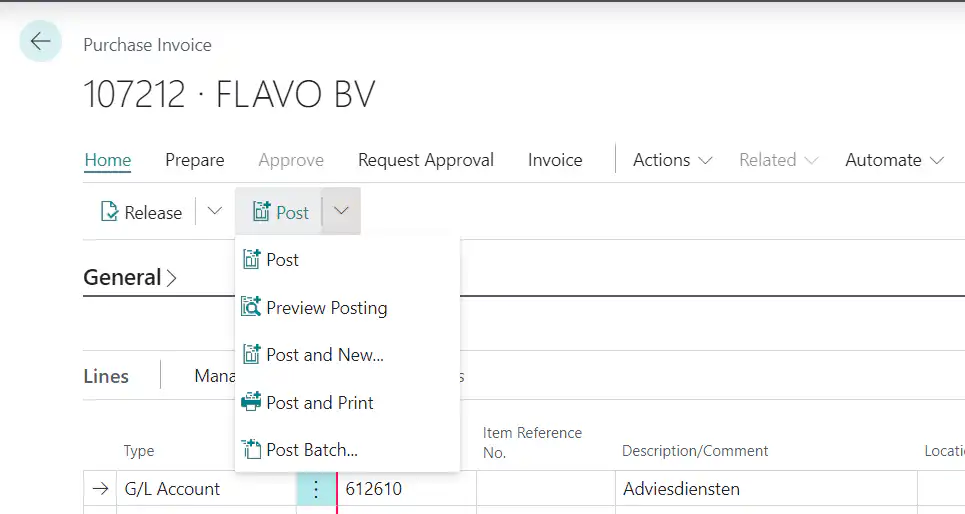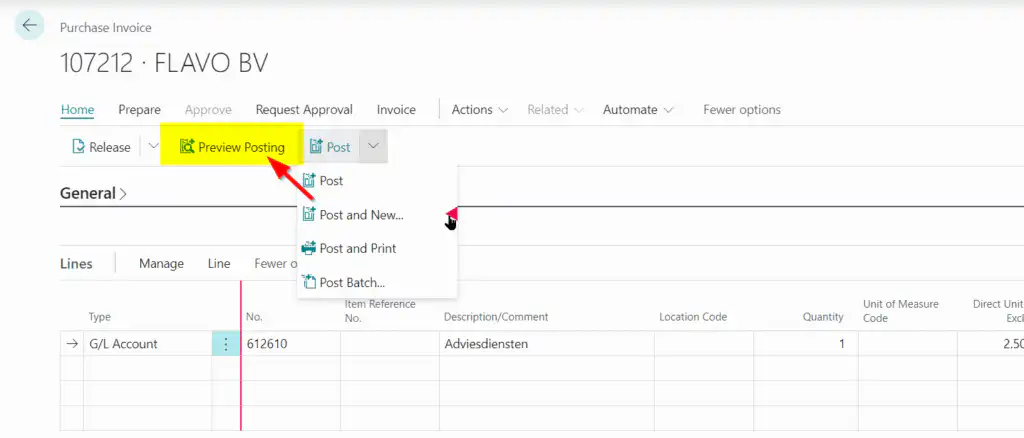
This Release Wave 2 includes new features and capabilities that help companies streamline their operations and improve their business results. View the full release plan here for Dynamics 365 Business Central.
1. Simplified Access to Environments
Business Value
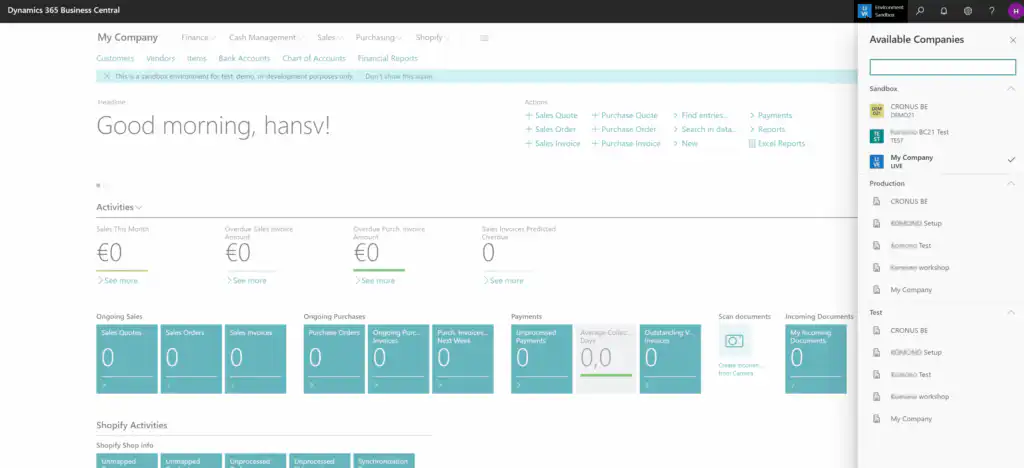
Organizations with multiple entities typically need to switch frequently between the available companies in Business Central. Since version 21, switching between companies and environments has been greatly simplified.
Setup
No setup is required. The user interface includes a new button that provides quick access to:
- the available companies within this production environment, based on the user's access rights. Only the companies for which the user has the required rights are displayed.
- the available companies in the -potential- Sandbox environments.
2. VAT Date as a New Date Field
Business Value
Starting with version 21, companies and organizations can file VAT returns using the new field VAT date instead of the field Booking Date to meet the requirements of certain countries or regions. In Belgium, there is no use case for this new feature.
Setup
The new "VAT Date" field is available in all document and journal screens. You can use the accounting settings to specify which existing date field on a document will be used as the basis for the VAT date.
Best Practices in Belgium
Check the setting in the accounting settings: select Booking Date.
Unfortunately, the display on the screen is very confusing for users: the possible values for the VAT date are limited to Booking Date and Document Date.
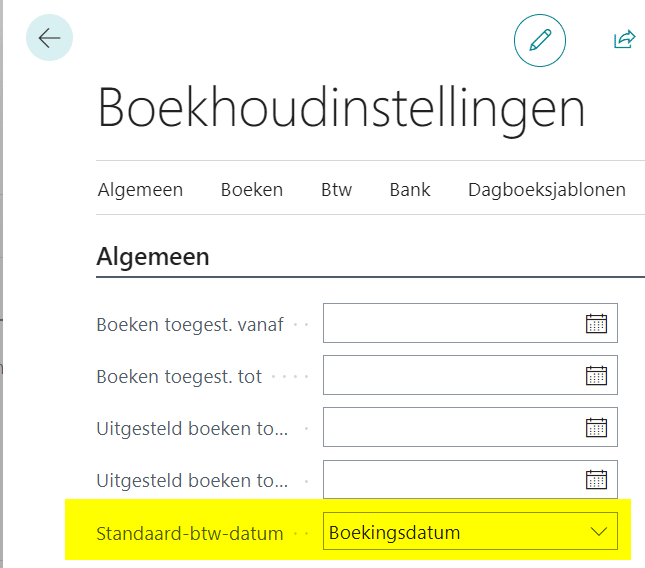
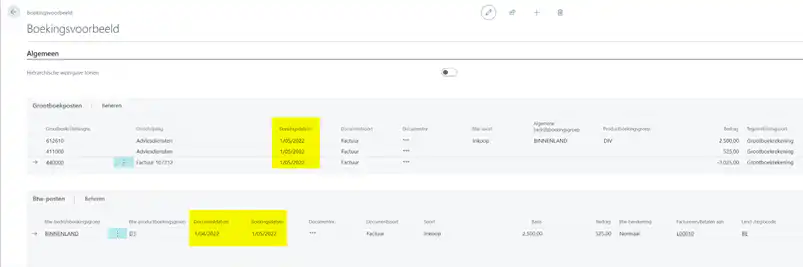
While it is technically possible to select a different date for the VAT date, that date will be ignored in the entry. See the example below: the user selected 06/01 as the VAT date; 04/01 is the document date; and 05/01 is the entry date.
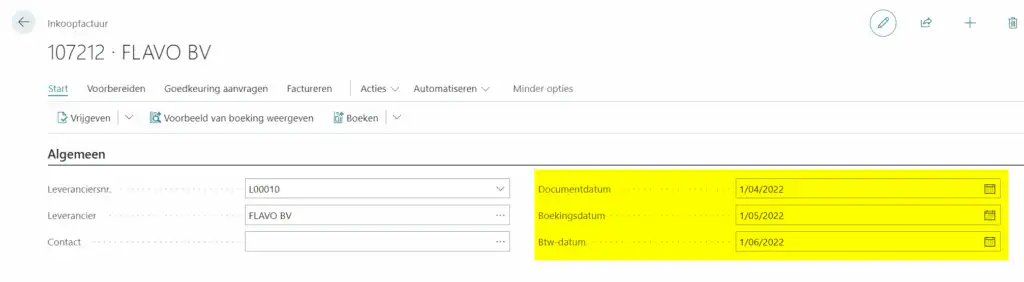
At Alistar, we believe that the VAT Date field should be disabled, since changing the value serves no purpose… The option selected in the accounting settings determines the value in the VAT entries.
Best Practices is to set the "VAT Date" field centrally in the accounting settings for Belgian organizations and companies, and then hide the field on document pages. Want to know more?
3. Financial reports replace reporting schedules
Business Value
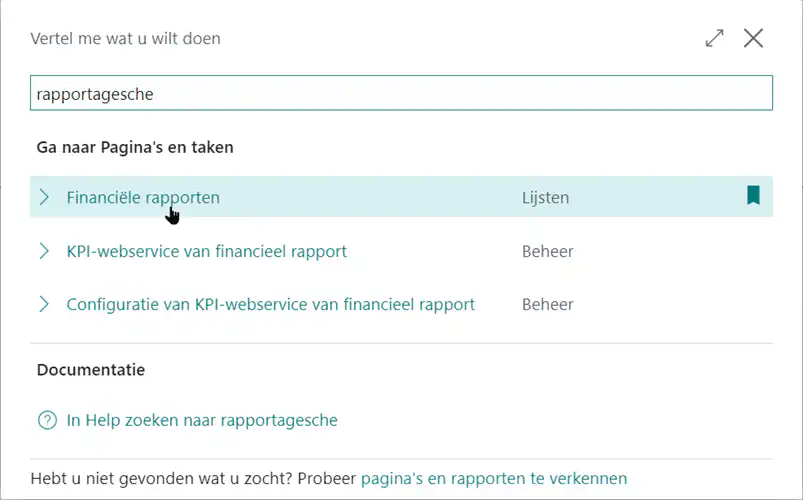
Nothing new under the sun. Microsoft has decided to make the name in the menu better reflect the actual functionality. The new name Financial Reports After all, it describes the subject much better than the original name Reporting Schedules. After all, the reporting in question is general ledger-level reporting. Ergo… amounts, whether analytical or not.
Setup
No setup is required. Financial reports are the new name for report templates. Searching for report templates via the menu takes the user to the new pages. Want to know more?
4. Refinements to Item Surcharges
Business Value
This update provides more options for posting item surcharges, as this release wave offers you greater flexibility in how and when item costs should be posted.
This scenario provides an example:
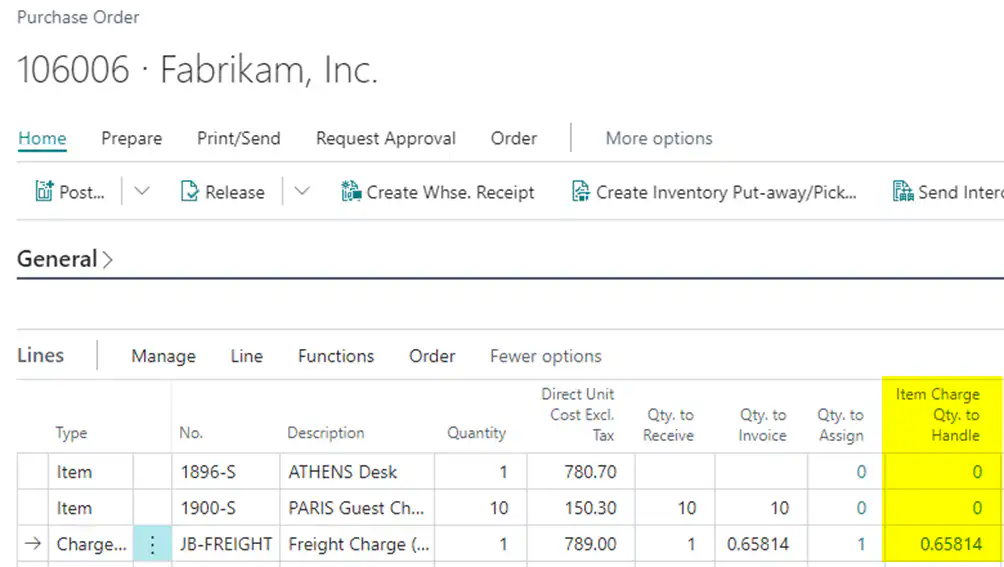
- You have created a purchase order with three lines. Two lines are for items, and one line contains item surcharges (e.g., shipping, customs fees, insurance, etc.) that must be distributed among the items.
- When you receive the purchase receipt, you notice that the first item is missing, so you cannot mark it as received. In other words, you can only receive and post the invoice for the second line item, so that you can ship the item to your customer and process the second item later.
- But in this case, how do you handle the cost of the item surcharge?
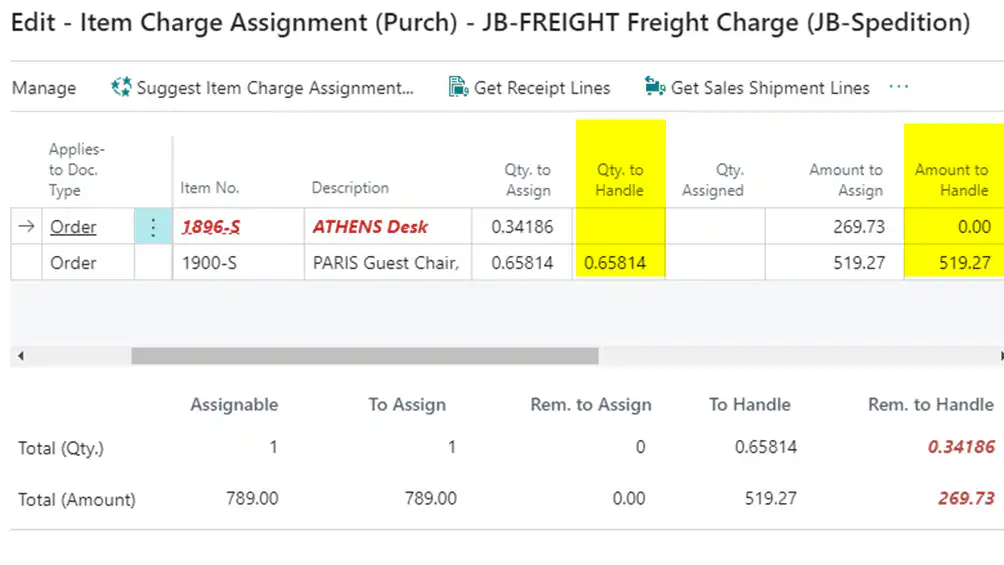
- That's easy with the new field Actual number processed on the page Allocation of Item Allowances. You set the field Actual number processed Set it to 0, and now you can set the value of the field Number to be billed in the purchase order lines. Copy the value from the field Amount of item surcharges to be processed.
- You can now post the partial invoice with the item surcharge assigned to a single line item, so that all cost factors are accounted for.
- Once you're ready to process the second item, fill in the field Actual number processed Add it to your cart and place your order.
5. Faster Search: New Pages for Order and Invoice Lines
Business Value
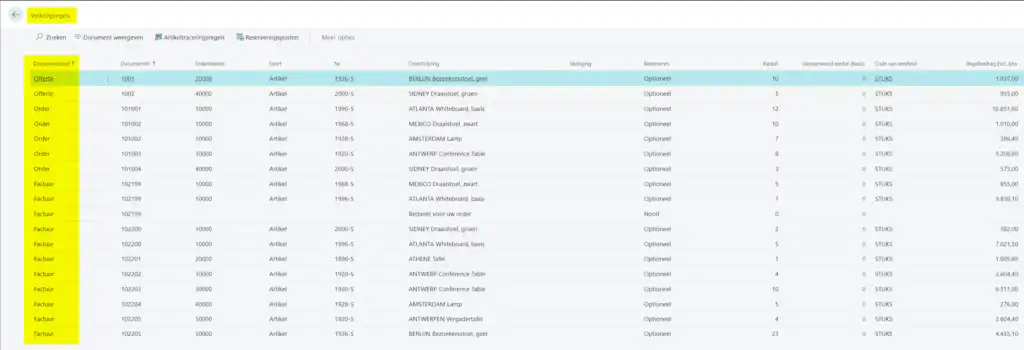
Finally! In previous versions of Business Central, searching for documents was always limited to searching the document header data. To view the details of orders, returns, invoices, and credit memos, you had to open the document. So much for the overview…
Starting with this version (21), you can view an overview of document lines. Through new pages, Business Central now provides insight into the details of various documents, sorted by type.
Setup
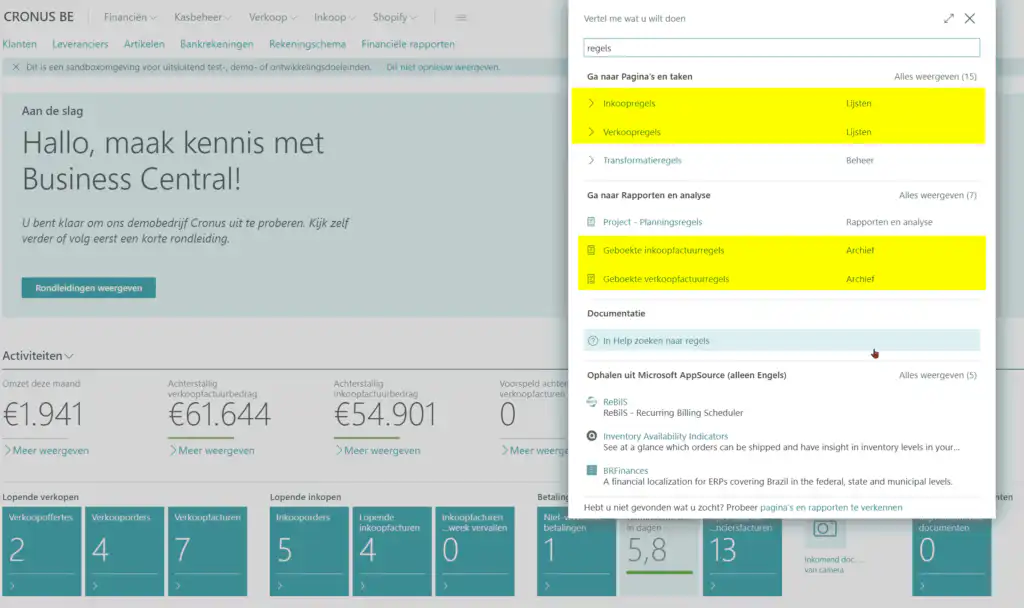
No setup is required. You can easily search using the search term in the search box. Rules. Want to know more?
6. New tax return available: F01DGS
Business Value
Companies and organizations can now—if required by local authorities—report when they export services from one EU country or region to other EU countries or regions using the F01DGS reporting system.
Currently, Belgian, Italian, and French authorities require reporting for the export of services to other EU countries or regions. In Belgium, this also includes the F01DGS form.
This feature is available as an extension and can be used in all countries and regions. The reporting is configurable, so there is no hard-coded export format.
This feature uses items (Type=Service), resources, and item surcharges as services in both purchasing and sales documents.
Setup
No setup required.
The rollout of this feature has been postponed to V21.1 (scheduled for November). Want to know more?
7. Powerful New Features in Authorization Sets
Business Value
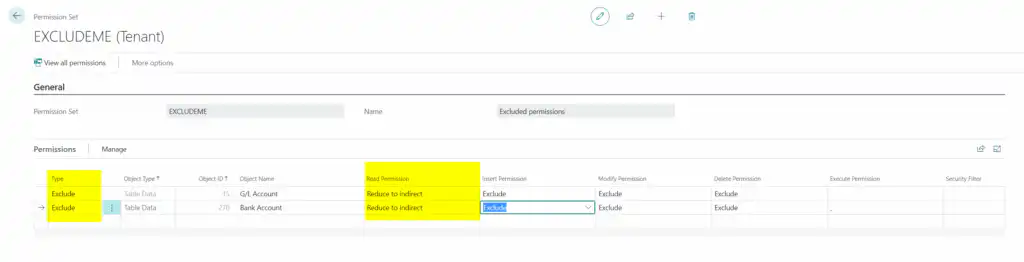
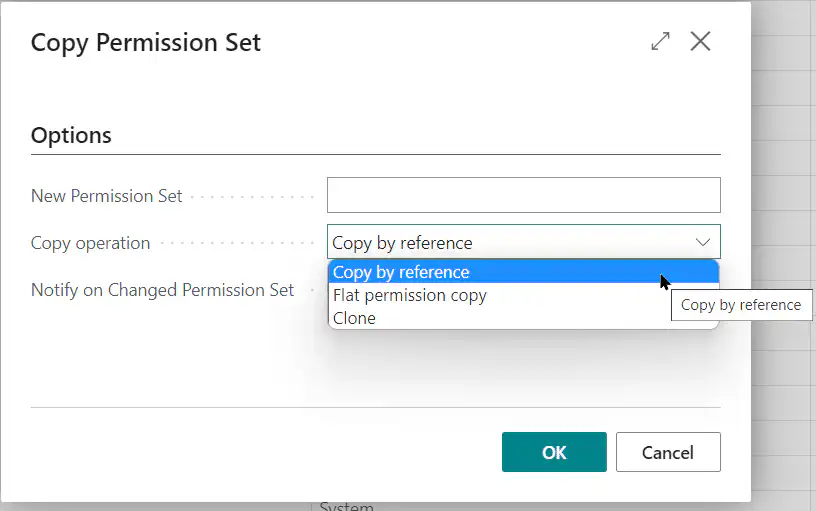
With this new version 21, it is possible to excludes to be used in permissions: this makes it possible to specify what a user is NOT allowed to do. Microsoft also makes it possible for SaaS customers to By Reference- Make a copy of the standard authorization sets: Microsoft guarantees that they will be kept up to date.
Setup
Permission sets have a significant impact on users. They determine which tasks users can perform and which data they can or cannot access. It is not recommended to make changes to them without prior knowledge.
What exactly has changed? The ability to include excludes in permissions. Limiting existing rights in a way that is transparent to users.
Copy by Reference
When copying a standard Microsoft permission set, Microsoft will guarantee that it continues to function in future upgrades. This helps prevent permission errors during upgrades in SaaS environments.
However, this warranty does not apply to existing copies of Microsoft Permission Sets. To take advantage of this, the existing Permission Sets must be converted to a By Reference Copy.
8. Customizing Menus
Business Value
Users could, using the feature Customize already decide for themselves how pages and fact boxes are designed. In version 21, Customize expanded to include menus so that users can determine the content and order of the menus themselves.
Menu options can be dragged out of drop-down menus (and promoted that way).
Please note: this menu customization is (for now?) limited to the header menu. Document-level menus (e.g., assigning lot numbers or applying item surcharges) are not (yet) included in this update.
Setup
No setup required: the function of Customize has been extended to menus. In the example below, the function Booking Example removed from the Books menu and made available directly in the menu.