Microsoft states that these updates are designed to help users become productive more quickly, whether they are new or existing customers. For example, the Better with Microsoft 365- We’re continuing this strategy by adding more features to both the Business Central and Teams experiences. This time around, Business Central comes with a fairly long list of improvements. At Alistar, we certainly think it’s worth taking a closer look.
View the full release plan for [...]. here Dynamics 365 Business Central.
1. Finance
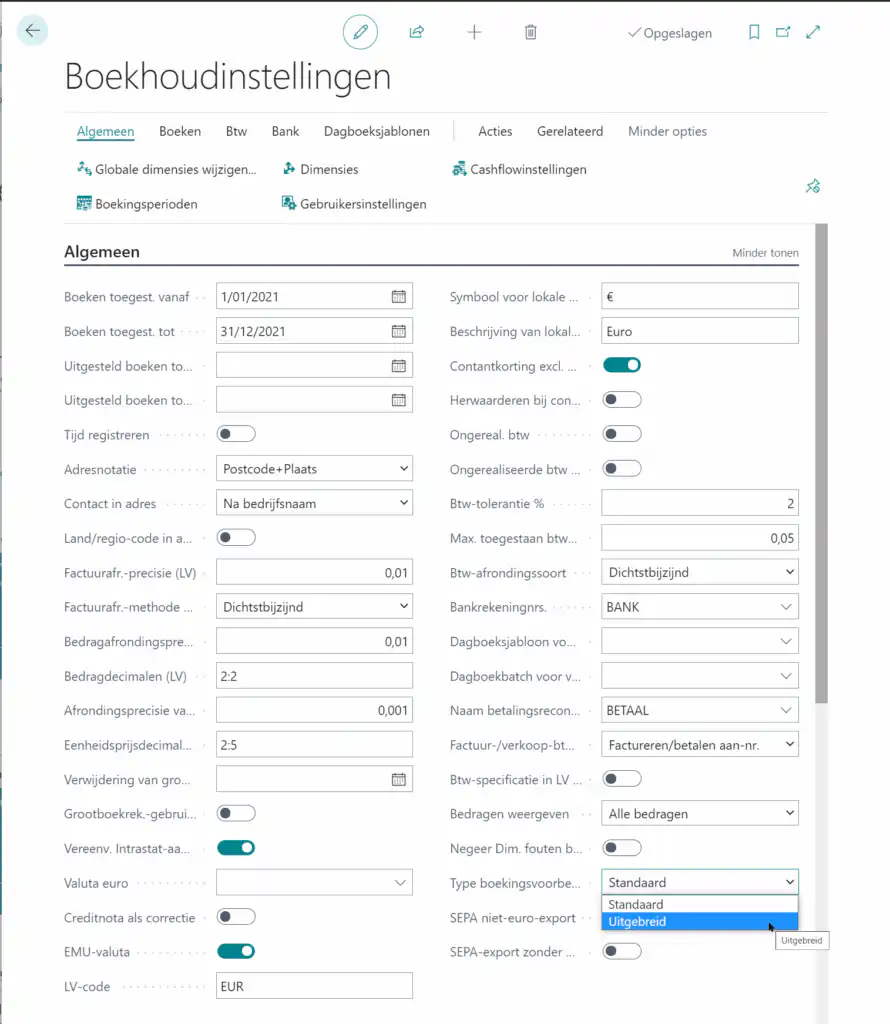
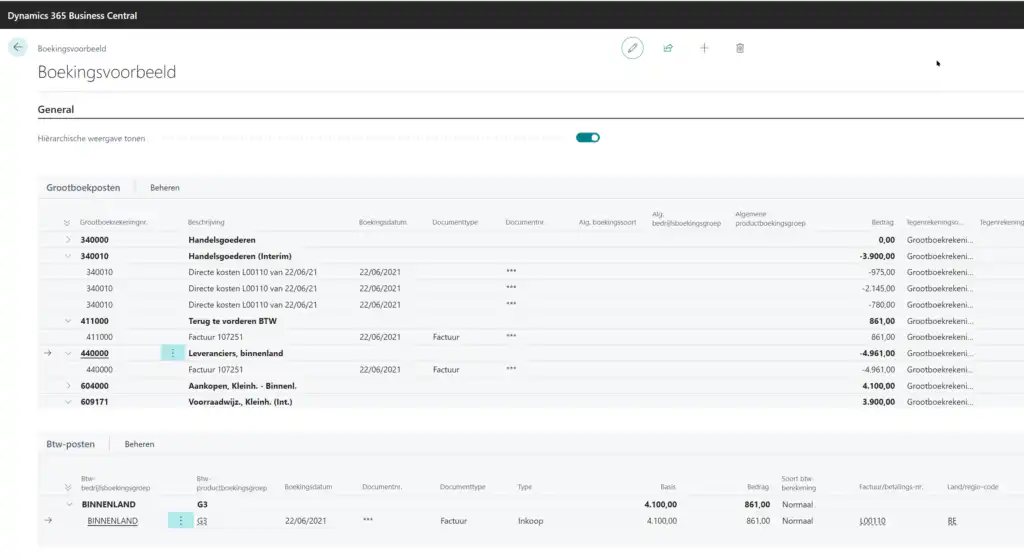
Detailed Booking Example
When posting journal entries or documents containing a large number of entries, accountants want to be sure in advance that the posting is correct. By reviewing a sample of the posting, no further corrections are needed, which allows accountants to be more productive.
In short, this is an improved way to view the booking example before the actual booking is made.
The posting example shows the proposed posting in a clear (and, if desired, hierarchical) overview.
Improved master data templates
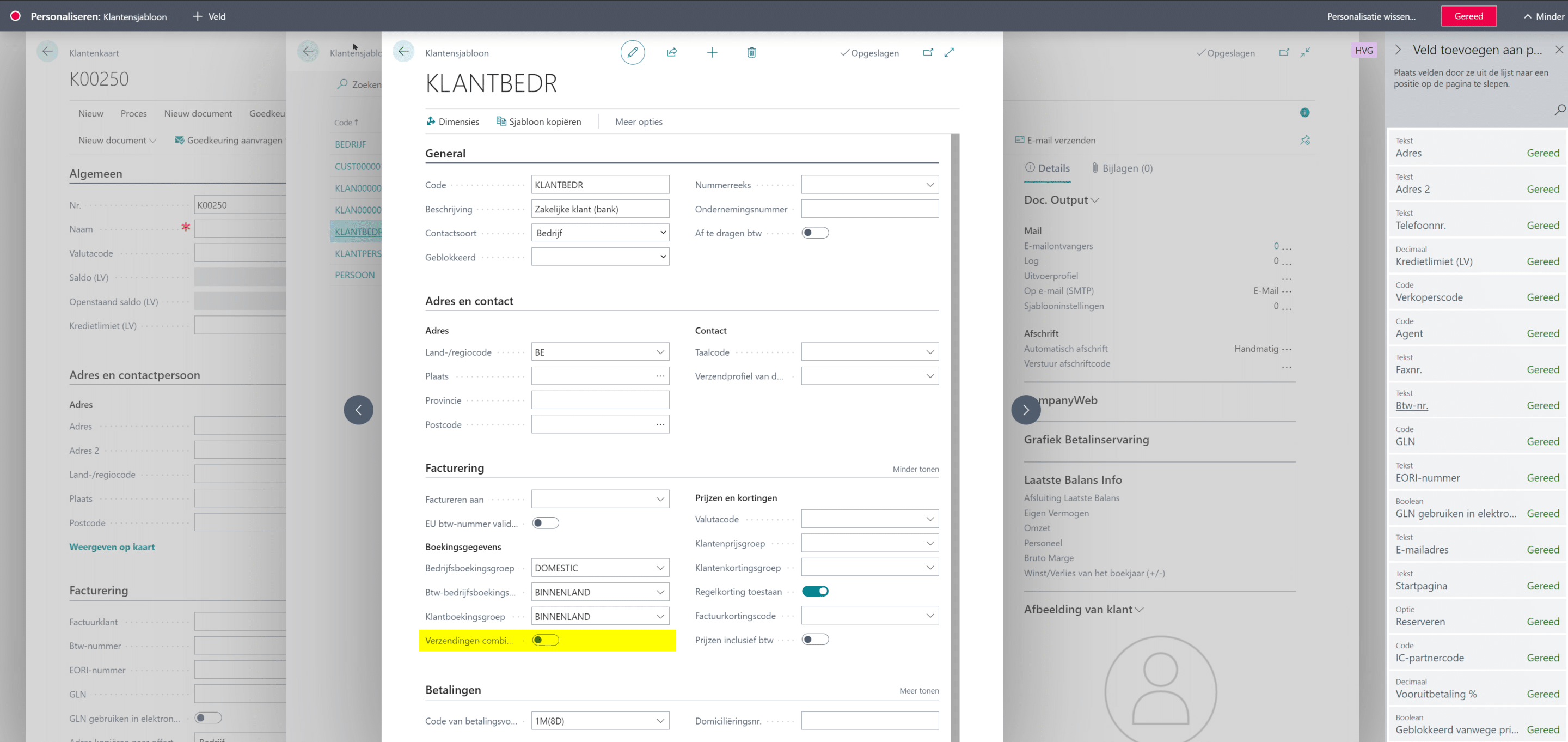
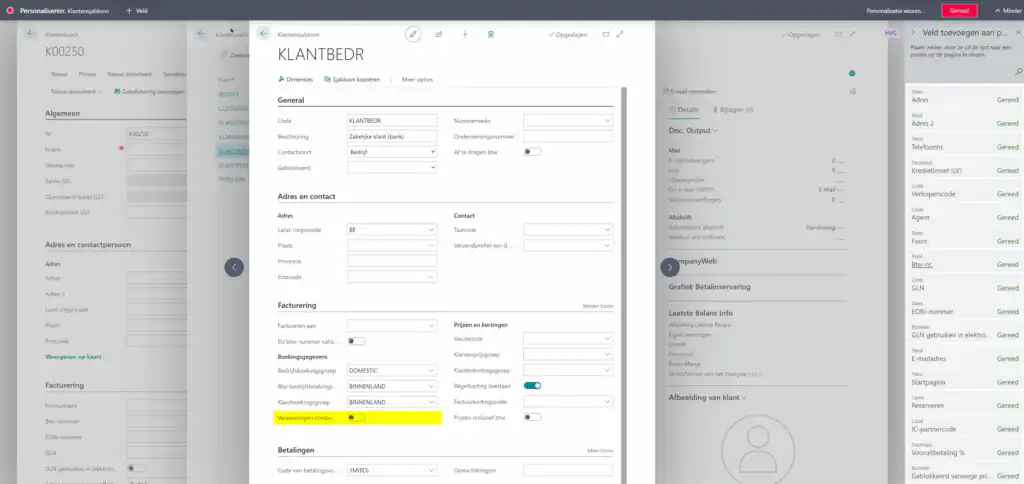
When setting up new master data (Customers / Vendors / Items / …), it is important to guide users so they can work without errors. Administrators now have the option to expand master data templates with additional fields that better align with the company’s operational processes. Templates can be expanded via the “Customize” feature.
In the example below, the field Combine Shipments (i.e., allow consolidated billing) added to a customer template.
A More User-Friendly Approach to Handling Booking Errors

Error messages for booking errors are now easier to read and more useful. From now on, the error message also includes the context (document line number), which greatly simplifies the process of correcting errors in long documents.
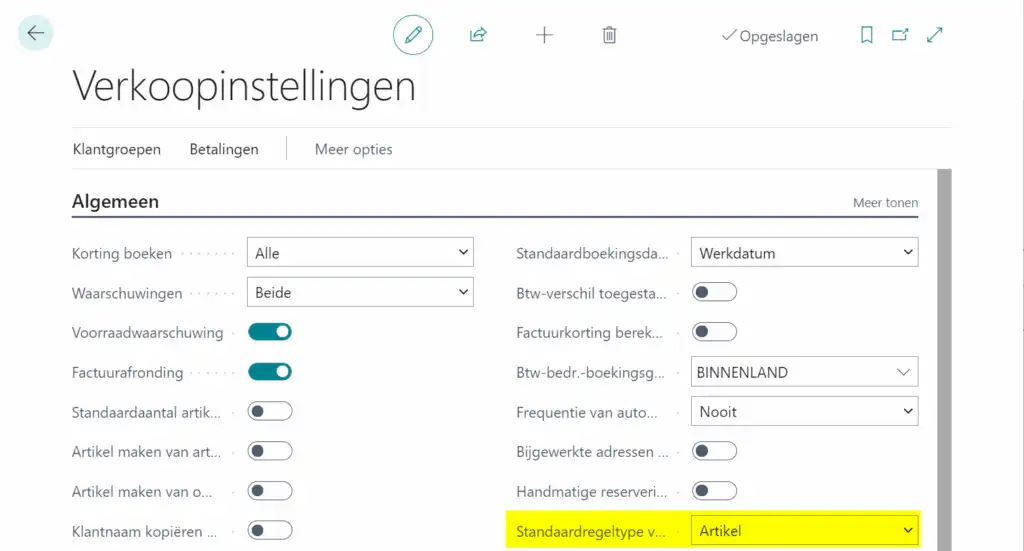
Standard Type in Sales and Purchase Documents
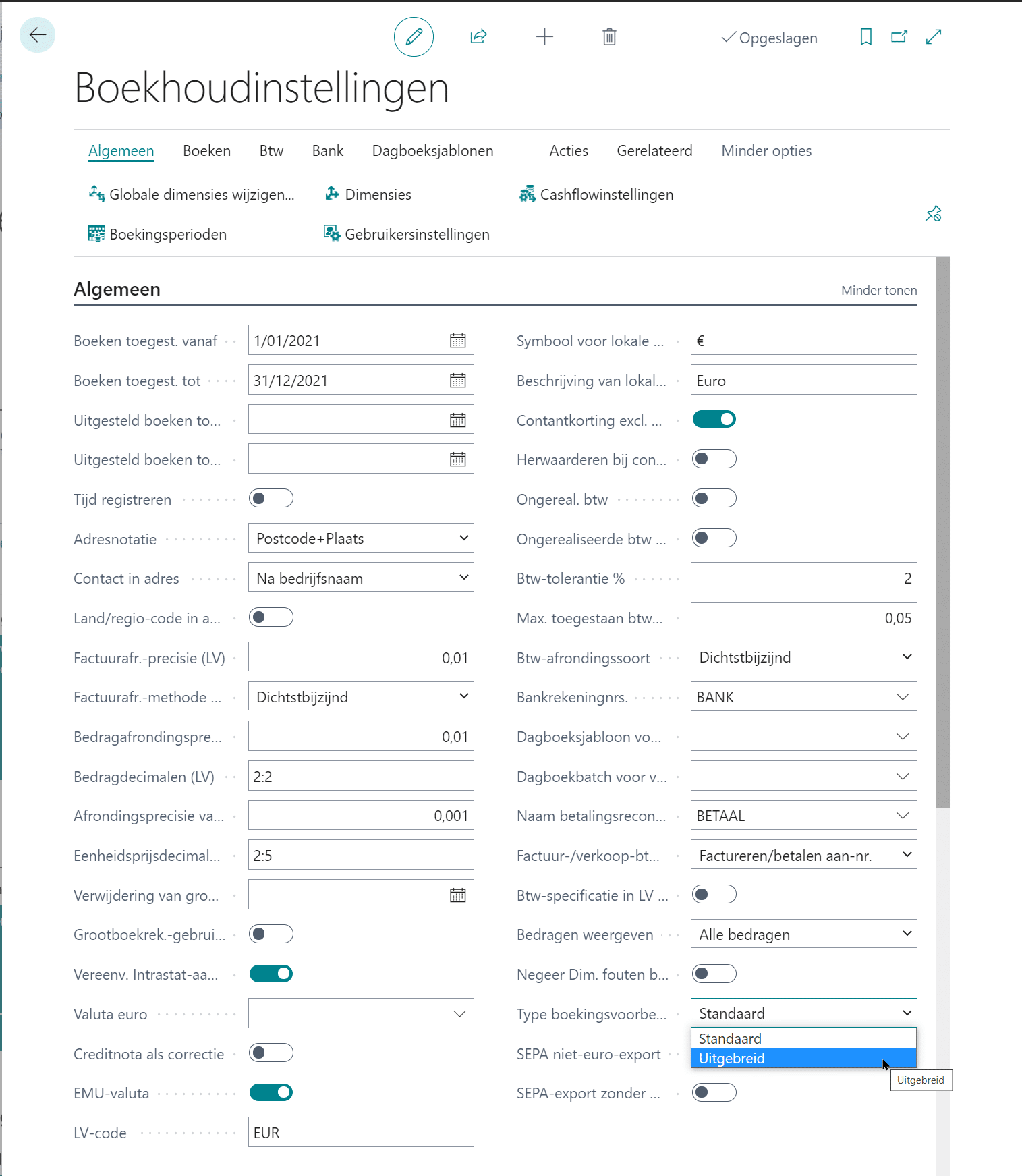
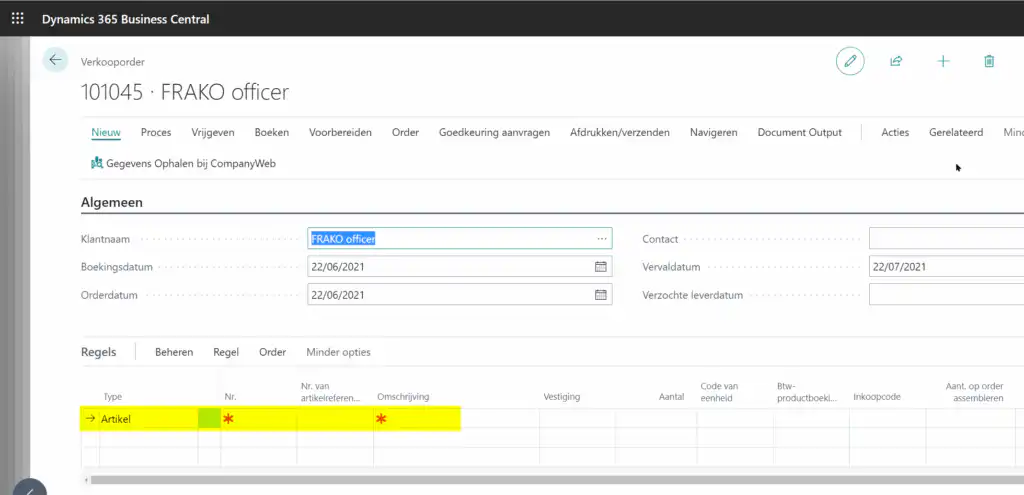
The Field Type This must always be explicitly stated on a sales or purchasing document. It is now possible to specify a default type in the sales and purchasing settings, so that users do not have to select and fill in the field every time.
Below are the settings for Sales.
With the following behavior on sales documents:
Save Historical IBANs for Supplier Payments
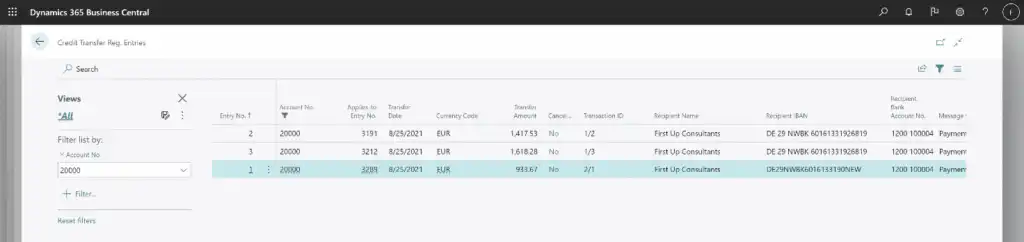
If you change the IBAN for existing supplier bank accounts with which previous transactions have already been made, historical entries in the transfer journal may appear as missing because Business Central can no longer locate the IBAN for those entries.
You can now safely change IBAN numbers for suppliers' bank accounts without affecting your historical entries in the transfer log. The entries in the transfer log now store the recipient’s IBAN and the recipient’s bank account number as specified in the fields Supplier Bank Account and Recipient's Name on the vendor card, when the entries are posted.
No changes to the settings are required for this. The new behavior applies to all future transactions.
Greater control over exchange rate adjustments
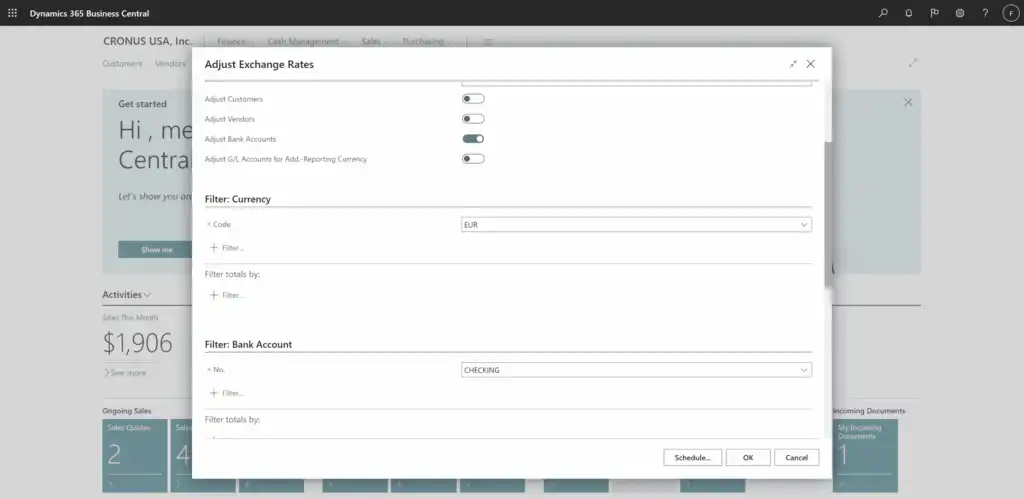
You can now also apply exchange rate adjustments specifically to selected customers, suppliers, or bank accounts using the batch job Adjust Exchange Rates. Decide whether you want to adjust the exchange rate for a specific customer or bank account, and then use the filter options to select the specific customers, vendors, or bank accounts for which the exchange rates need to be adjusted.
2. Logistics
Non-stock items in the purchase proposal
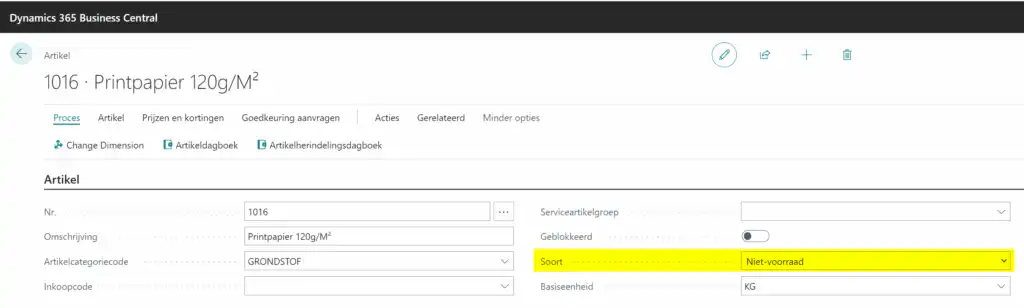
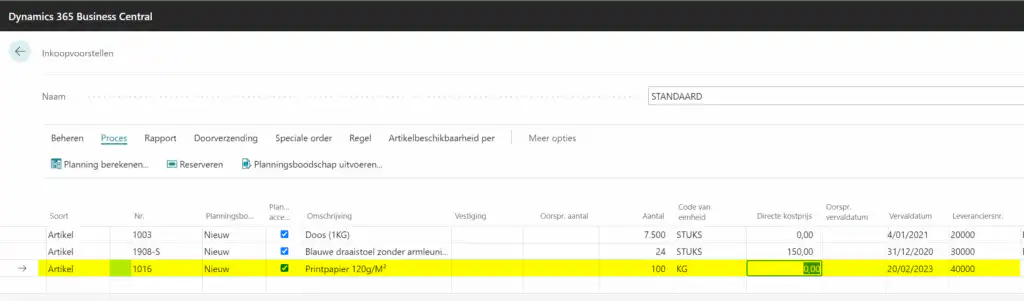
At first glance, it seems like a contradiction in terms… and yet. From now on, it’s possible to view articles marked as Not in Stock to include it in the procurement proposal after all and to draw up a purchase order for it—albeit manually.
Logically, there are no planning parameters for non-stock items (since there is no inventory for them). They can be manually added to the purchase proposal and thus converted into a PO in a standardized manner. This prevents multiple POs from being created for the same supplier, which saves on shipping costs.
Location available for non-stock items
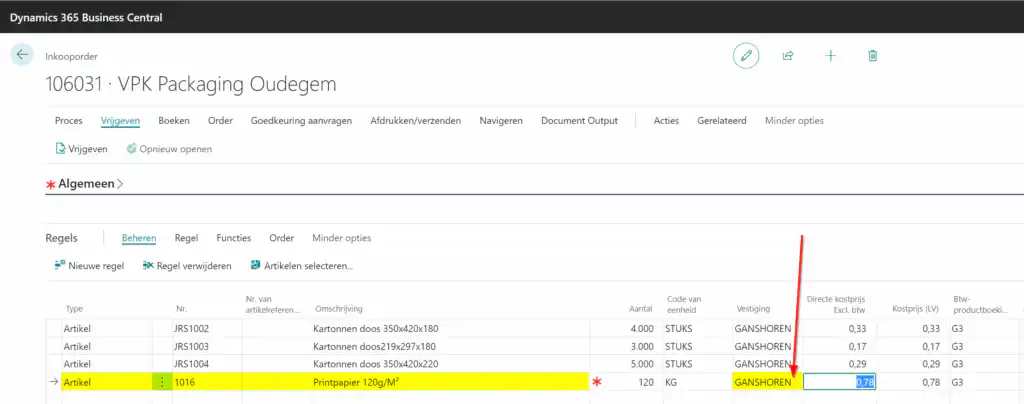
In the same vein, a contradiction in terms: Assign a location to non-inventory transactions.
And yet, it’s not as strange as it seems: if a company has multiple locations, it’s important to be able to record and track which location a purchase order for non-stock items (or services) is intended for.
3. Mobile
Access to timesheets
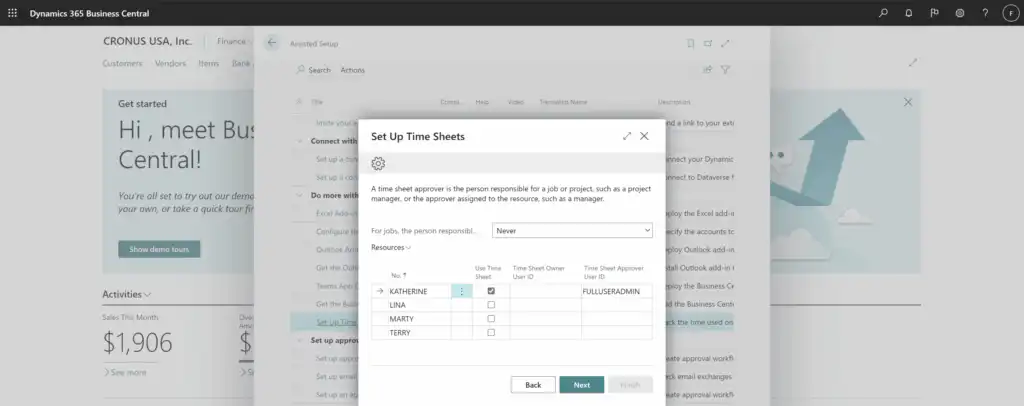
Your mobile employees who use Android or iOS should also be able to enter time tracking data easily and productively while on the go. Through Set Up Time Sheets You can now set up timesheets and specify who has access to them. Participants include the time tracking administrator, the employees or resources who track their time, and the approvers.