

In a previous blog post, I already talked about Power BI Deployment Pipelines. These can, of course, also be used to move Fabric items from various stages to, for example, acceptance or production. Deployment Rules were already in place to make the pipelines flexible, but Variable Libraries have recently been introduced to provide even better control over the flow.
Deployment Rules
Within Power BI Deployment Pipelines, you can use Deployment Rules to adjust certain settings or parameters when deploying to the next environment or workspace. This might include changing a data source or a parameter within a semantic model.
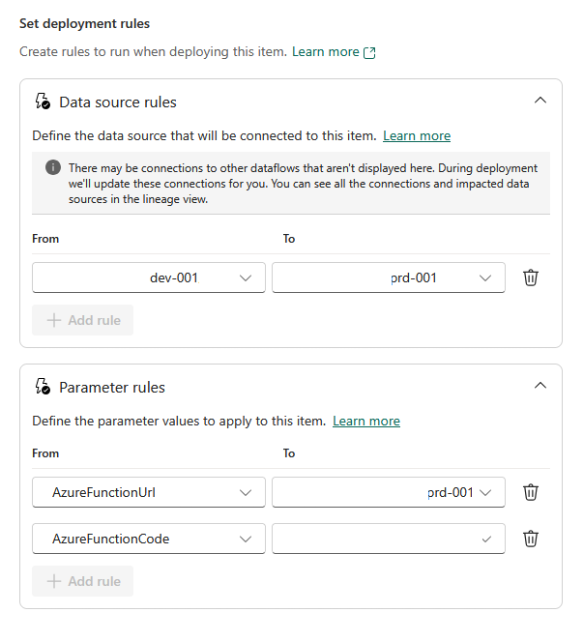
However, deployment rules are only available for a limited number of objects. For example, you cannot use a deployment rule to modify the source of a copy activity in a fabric pipeline.
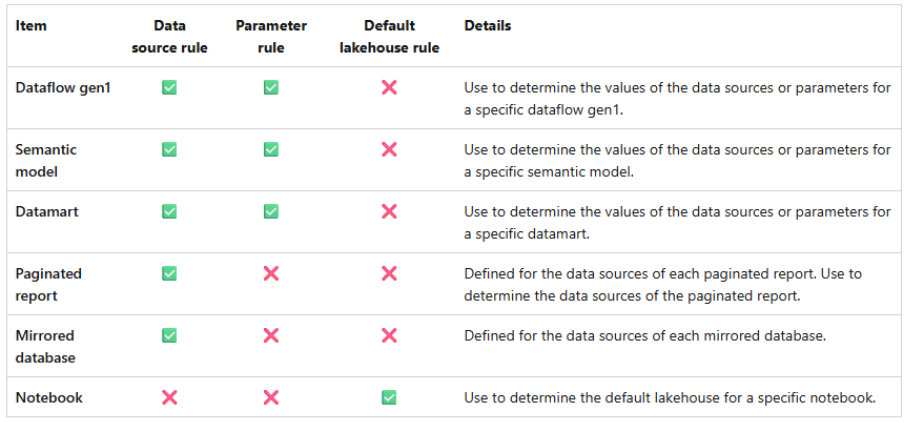
What is possible, however, is to create a deployment rule on a notebook to adjust the Default Lakehouse during deployment. However, since October, notebooks have also supported auto-binding. This means that the default Lakehouse and the environment are adjusted to match the items in the target workspace (as long as the items exist in the same workspace).
Variable Libraries
To provide even greater flexibility, Microsoft has introduced variable libraries. You can think of these as a set of variables that you can customize for each workspace. You can use these variables in your pipelines, among other places. This works almost the same way as using standard variables.
Within a workspace, you can create an item called “Variable Library.“ Then, in a pipeline, you define which variables from the library can be used in the pipeline.
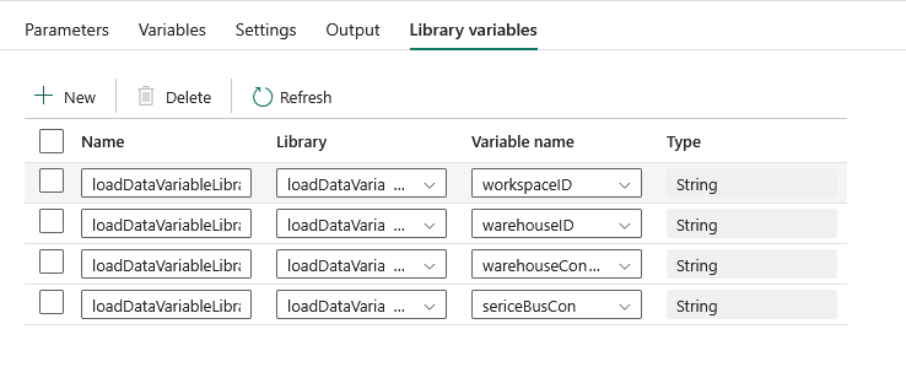
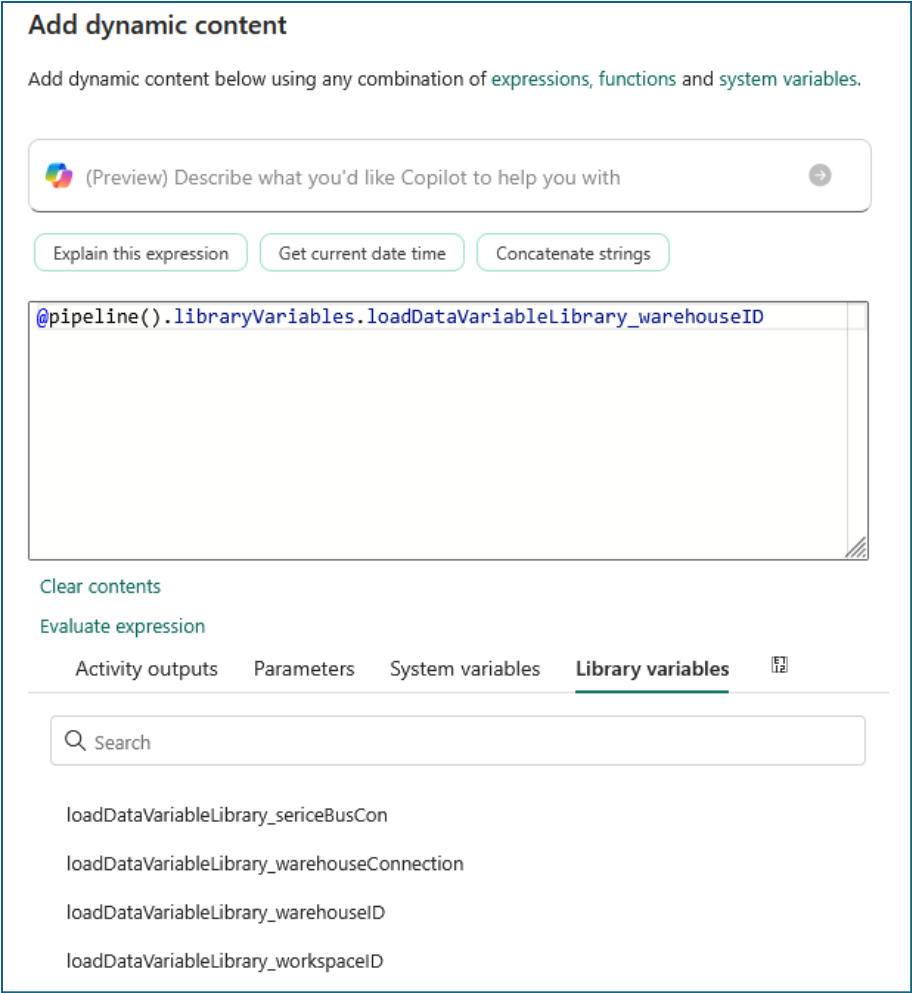
These defined variables can then be used within a pipeline in the same way as regular variables, as shown below.
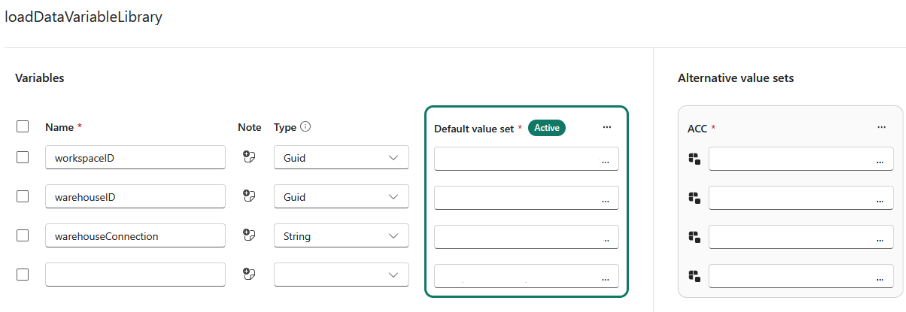
Within a variable library, you can create various variables. You can then create alternative value sets for each application or workspace. A different value set can then be set as active for each workspace. In this example, a connection string and a warehouse are used.
The default set for development
And the ACC set for the acceptance environment
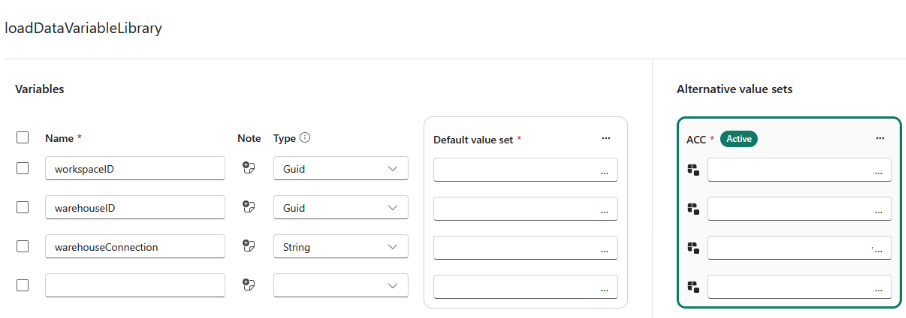
Even though different value sets are active within the various workspaces, the deployment pipeline will not treat this as a change when comparing items across workspaces.

These variables can be used not only within pipelines but also in a lakehouse—for example, as a shortcut to a storage account. For the sake of completeness, here is an overview of the items where the variables can be used:
- Pipeline
- Shortcut to a Lake House
- Notebook, via NotebookUtils and %%configure
- Dataflow Gen 2
- Copy job
- User Data Functions
Auto-binding
In addition to using Deployment Rules and Variable Libraries, workspaces also support auto-binding, of course.
Auto-binding essentially means that when items are moved from one workspace to another, the system attempts to update the references to match the items in the new workspace. Examples of this include, for instance,
- Notebook references in a pipeline
- Default Lakehouse reference in a Notebook
This does not work for connections in a pipeline. You might expect that a connection to a lakehouse or warehouse within the same workspace would also be updated via auto-binding, but that is not the case. This may be because connections themselves are not defined within a workspace. But this can easily be resolved by using variable libraries.
Conclusion
Using variable libraries makes managing the lifecycle of a Fabric environment much easier. By creating the right variables, virtually nothing needs to be adjusted during deployment itself, and the connections and references are updated automatically.


