

Why Making Calls with Microsoft Teams Is So Easy
User-friendly
Easily manage phone calls in the cloud, with "Do Not Disturb," number lookup, voicemail, and the ability to delegate or share files with each other to make calls more efficient and interactive.
Accessible Everywhere
Want to stay connected with your colleagues and customers from any location or device? By making calls through Teams, you can reach the right person or people with just a few clicks.
No additional software or hardware required
With Teams, you can do everything a traditional PBX can do—and more! All you need is an internet connection.
Make calls using Teams instead of your phone system
No longer need a ‘fixed’ telephone switchboard!
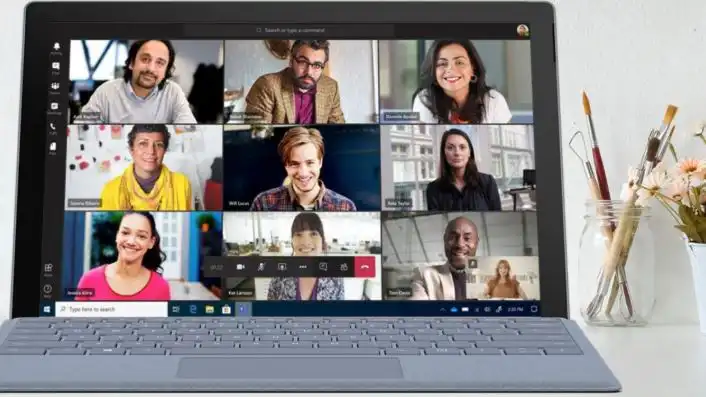
Video calls, chatting, and collaborating with colleagues in Teams—even a child could do it. Discover how user-friendly Teams telephony is for both users and administrators of your cloud-based phone system.
The Benefits of Cloud-Based Telephony
Increase efficiency with a cloud-based phone system
A cloud-based phone system with the collaboration features of Microsoft Teams that's integrated with your CRM? You can do that through a direct routing solution! This way, you can work and collaborate more efficiently and stay reachable for customers and colleagues no matter where you are.
Cost Efficiency
VoIP is much cheaper than a traditional landline PBX. Thanks to Teams, you no longer need 100,000 lines for all your phones or ISDN connections with your service provider. That saves on purchase, management, and maintenance costs.
Scalable solution
A VoIP connection with your service provider is much more scalable than traditional phone lines. You can easily order additional channels over the same connection without needing new infrastructure. With a cloud-based VoIP PBX, there are absolutely no limits. It can scale up or down entirely—depending on your needs.
Smooth Remote Work
Thanks to a cloud-based phone system, your users can access it from any location. You can also integrate your mobile phones with VoIP phone systems. This means your coworkers can be reached at their landline numbers via their mobile devices. If someone doesn’t answer right away, the call is forwarded to a coworker or the front desk.
Focus on Safety
VoIP is also a solid choice when it comes to security. Of course, you need to properly protect your business network against cyber risks, but the good news is that VoIP can be secured using a few basic cybersecurity methods and best practices. In addition, most providers have built the necessary security measures into their networks to prevent fraud.

Everything you need for professional phone service
- Unlimited calls
- Efficient Call Transfer
- Clear call status

Easily switch to making calls with Teams
After we review your environment, network, and licenses, everything will be set up for your business. You’ll always remain reachable, even during the migration!
Configuration in Office 365 & Teams:
- Phone numbers
- Groups
- Queues
- Drop-down menus
- Devices
How healthy is your IT environment?
Give your IT environment a thorough health check—before something goes wrong. Request a free audit, and we’ll assess your organization’s current IT situation: infrastructure, software, security, backups, and work processes.

Our Modern Work team is here to help you
Alistar is a Microsoft Certified Partner and has a team of experienced business consultants, engineers, and experts who are happy to guide you through the entire process. Our goal is to make your journey as smooth as possible.

Jo Geeraerts


