
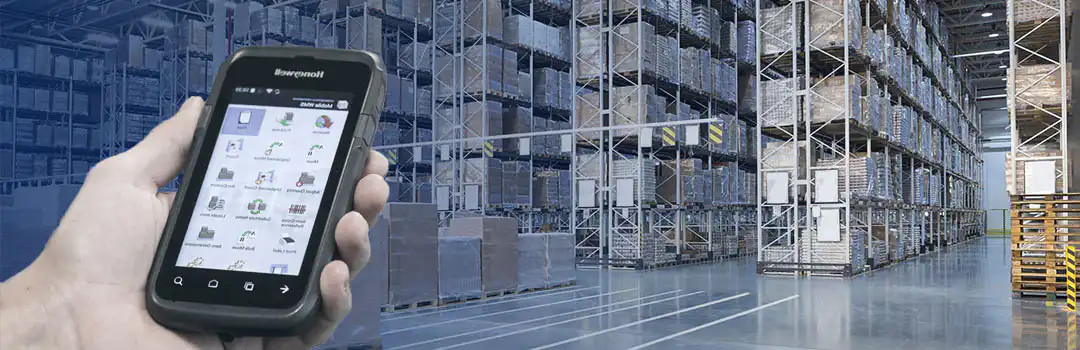
First things first: What is WMS, and what do those three letters stand for? WMS stands for Wwarehouse MManagement System, a warehouse management system designed to support every work process in a warehouse, including, for example, receiving, storing, picking, counting, moving goods within the warehouse, and adjusting quantities. A warehouse management system is specifically designed for inventory management and, in most cases, serves as a complement to your ERP system.
Today, the warehouse plays a more central role in the company due to increased competition, and as a result, the demand for a WMS system has naturally grown. Similarly, global e-commerce is also contributing to companies becoming more cost-conscious.
It can therefore be quite difficult to choose a warehouse management system that meets all of your company’s needs in a single solution. We therefore recommend choosing a warehouse management solution from a software provider that specializes in warehouse management and logistics.
In this article, we'll take a closer look at Mobile WMS from Tasklet Factory, a software application for Microsoft Dynamics ERP systems such as Dynamics 365 Business Central or Dynamics NAV.
If you want to optimize all work processes in your company’s warehouse with an integrated WMS solution, you should first ask yourself a few important questions:
A standard solution or a customized WMS solution?
The choice is often between a standard WMS system and a custom WMS system. At Tasklet Factory, there’s no question about it. Choose a standard system where it makes sense, but at the same time, make sure the standard system you choose can be customized (or customized to a certain extent). Tasklet Factory applies the same logic here as in Microsoft’s strategy. Since 2013, Microsoft has upgraded its standard ERP solutions to a new version every year. That’s why it’s also important to be able to easily upgrade your WMS system without significant costs or problems.
Basic features or custom features?
Fundamentally, a warehouse management system should include the most basic functions for handling products in the warehouse. In addition, our experience shows that many companies often want to be able to customize their WMS solution. This is exactly what Tasklet Factory’s Mobile WMS makes possible. Partners and customers have access to an e-learning portal, where short videos demonstrate how to make changes to the solution.
In what kind of environment are the hardware and scanners used?
If you also need hardware and barcode scanners, first consider the environment in which the handheld devices will be used. There are several factors to consider, such as dirt, frost, heat, moisture, chemicals, and so on. You should also ask yourself whether you want to be able to scan at long or short distances. In some industries, it’s advantageous to be able to work hands-free, and Tasklet Factory offers various models that allow the barcode scanner to be mounted on the arm or worn on the fingers. We also partner with the leading hardware manufacturers in the barcode scanner market and are a reseller of Honeywell, Intermec, Zebra and Motorola Barcode scanners for mobile WMS.
At Tasklet Factory, our experts can help you choose the right barcode scanners that perfectly meet your business’s needs. They advise customers on selecting the right hardware right from the start. Because we are a reseller of the hardware required for our solution, we offer a single point of contact, which means your business has just one supplier for both the software and the hardware. We offer hardware at various price points and for many different industries: from hospitals, healthcare, food and beverage, oil and lubricants, industrial goods, cosmetics, furniture, retail, wholesale, distribution services, printing, and transportation to manufacturing. Our customers have zero tolerance for errors and rely on accurate information. By using mobile applications, they can optimize their work, minimize errors, and thereby save money and increase productivity at the same time.
Online or offline functionality?
Before choosing warehouse management software, you should consider whether your company’s Wi-Fi connection covers all necessary areas, such as the warehouse, production facilities, and offices. A mobile WMS from Tasklet Factory can be used offline. This means your company can always use the warehouse management system, regardless of whether Wi-Fi coverage is limited. This applies to buildings with concrete walls, basement storage, frozen storage, refrigerated warehouses, warehouses storing chemicals, and so on.
Do you have a large or small warehouse?
Is it really worth investing in a warehouse management system if you only have a few employees in the warehouse? Our advice is that there will always be benefits to implementing a warehouse management system, regardless of the size of your warehouse. Simply moving away from traditional paper-based processes saves money and is environmentally friendly. But there are also a host of other benefits. For example, there’s nothing more frustrating than sending the wrong product to a customer. Not only are there associated costs, but there’s also the risk of losing that customer. Many of our partners therefore offer an ROI (Return on Investment) analysis. On average, you can expect an ROI within 6 to 12 months.
Voice picking or hands-free?
If you use a WMS, you can choose between voice-picking and hands-free operation. So first, ask yourself what your specific needs are. Our experience shows that the demand for hands-free operations is greater than that for voice picking. Furthermore, there is a wider range of hands-free setups available, and they are therefore used on a large scale in the market.
Do you need external screens for your warehouse trucks?
Many companies want to be able to scan products directly from the warehouse truck. Both short-range and long-range scanners are available for this purpose. However, there are also warehouses that need larger screens to view all the data immediately. Tasklet Factory has many customers who use Mobile WMS to connect their scanners directly to external screens. The hardware supplier plays a particularly important role here. We can advise you on how our customers are currently implementing this with mobile handheld scanners. Both medium-sized and larger customers use this type of setup.
Do you need help selecting the right hardware manufacturer? Tasklet Factory also offers hardware solutions. We partner with the largest hardware manufacturers on the market. As a customer, this means you can receive guidance to find the hardware that’s exactly right for you. You’ll also have a single point of contact. This means you only need one supplier who takes responsibility for both the software and the hardware delivery.
Tasklet Factory offers hardware in all price ranges to many different industries, including manufacturing, process manufacturing, retail, healthcare, wholesale, the food industry, distribution, and logistics.
What is the total cost of investing in a WMS solution?
There are countless suppliers of WMS systems. That’s why it can be difficult to get a complete quote that includes all expenses. Some of the costs that are difficult to estimate accurately are typically the installation costs. At Tasklet Factory, we offer a fixed price for the installation of Mobile WMS, based on a total of 16 hours (depending on the ERP version). For older versions of Dynamics NAV, an additional 4 hours will be added. However, we always guarantee an installation time of no more than 2 days, precisely because Mobile WMS integrates directly into Dynamics 365 Business Central or NAV. We don’t need to make any changes to your ERP system for this.
How does the integration between the ERP and WMS systems work?
One of the biggest challenges in choosing a WMS system is that integration with surrounding systems and processes is often less than optimal. We therefore recommend that you choose a WMS system that can be integrated with the standard features of your ERP system. The ERP system must always be able to function centrally as a complete back-end system. The WMS solution acts as the front-end system. It collects all data and sends it to the ERP system. User-friendliness plays a major role here. Consider, for example, the user’s overall experience with the system’s look and feel. At Tasklet Factory, a significant portion of the development effort is invested in the graphical user interface, which can also be configured according to the needs of the individual user.
Microsoft or Android as the operating system?
We recommend that you choose devices that run the Google Android operating system. We do this partly because it is a system requirement for our software, but also because we have noticed that the recognized manufacturers have also decided to use this operating system.
Today's leading manufacturers are deliberately choosing Android. Not only because it is the most widely used, but also because Microsoft has declared its Windows Embedded Handheld 6.5 operating system end-of-life in 2020.
Nevertheless, Tasklet Factory's Mobile WMS runs on both Android and Microsoft Windows Embedded Handheld.
Is a WMS solution future-proof?
Microsoft has adopted a clear strategy for its new versions of Dynamics NAV (and AX). Since 2013, Microsoft has introduced a new version every year, which means that as a business, you need to choose a WMS provider whose solution is easy to upgrade. Tasklet Factory’s warehouse management solution is fully integrated with Microsoft Dynamics NAV and Dynamics 365 Business Central and is easy to customize. All versions also support a wide variety of barcode scanners.


