The process for setting up financial master data in Exact Proquro (P2P) involves the following steps:
Step 1. Navigate to financial master data via the Management module
Open the [Administration] module and navigate to Finance.
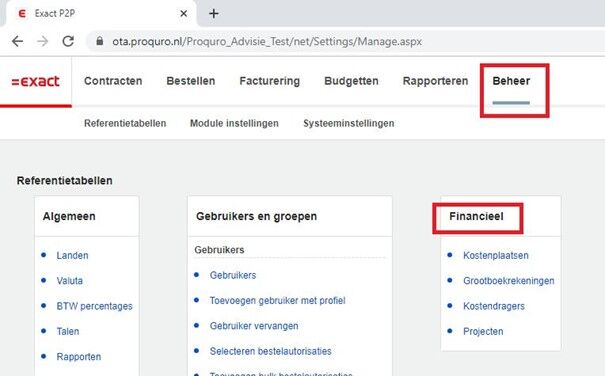
Step 2. Select the master data and execute
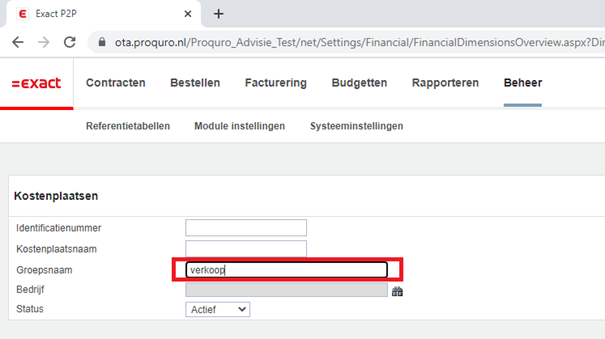
In this menu, select the desired master data—for example, cost centers—and when you're done, click Search.