
Have you been thinking about creating an app for your organization for a while now? That makes sense, because digitizing and automating manual business processes reduces the risk of errors and saves you time and money. With Microsoft Power Apps, you can turn your ideas into reality right away.
Power Apps is a Microsoft's low-code platform, which lets you get started very quickly thanks to pre-made templates. Recreate an app based on your own data or start from scratch.
In this blog post, we've compiled a number of Power Apps ideas suitable for common business processes that you can use with Microsoft Power Apps can easily automate.
Automate Common Business Processes with Power Apps
Onboarding
The onboarding process can make or break the relationship between your company and a new employee, which is why it’s a real challenge for most companies. Even with a very detailed onboarding process, certain things will be overlooked, especially when your management team has multiple priorities
By automating the key steps in this process with Power Apps, you can streamline the entire workflow and ensure that every new employee has everything they need to get started right away.
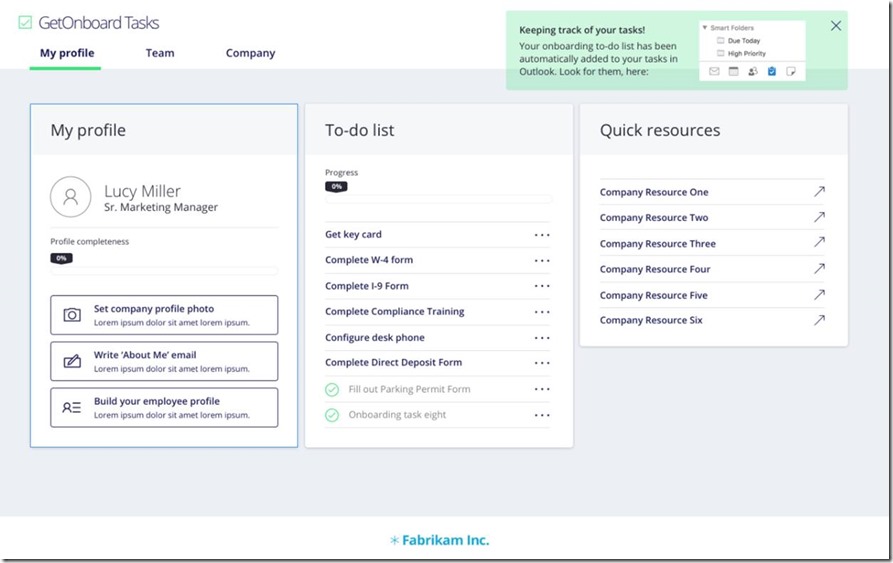
Some employees need a desktop computer and a cell phone, while others may need a company car and a laptop. Forms are also organized, made available, and tracked throughout the entire process.
With Power Apps, you can create a streamlined and efficient approach for every role.
Learning Management
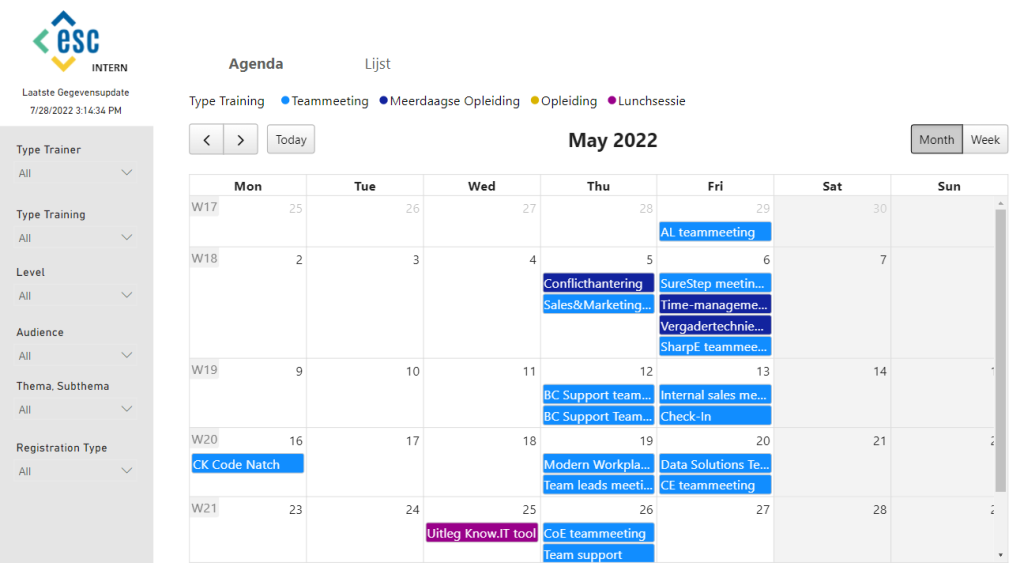
Knowledge sharing is incredibly important for any organization. A learning management app allows you to easily share knowledge throughout your organization. That way, everyone has access to everything they need or want to know about specific topics or training courses.
Help Desk
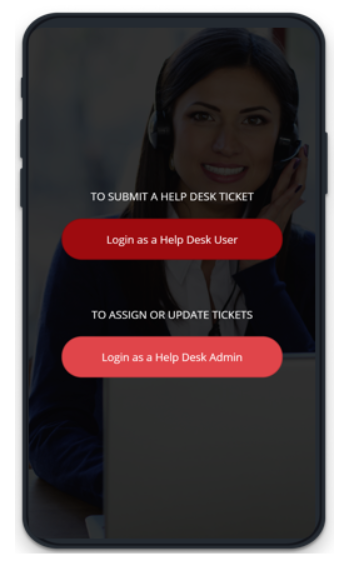
Build an interactive help desk tool that allows users to submit tickets directly from the app. Or use it to collect service requests for building maintenance, human resources, purchase orders, and more.
You can get started with this app very quickly, since there’s a sample template available in Power Apps. Using the app means that, as an end user, you can quickly find answers to important questions, track the progress of open tickets, and view details of previous requests.
Approve Expenses
Approving expense reports is a time-consuming and stressful task. For example, employees often have to search for paper receipts and enter every transaction from the past month, while management is breathing down their necks to make sure everything is up to date.
The solution here could be a Power App, where you can easily enter and track expenses until they are approved. You can also use your cell phone to add a photo of a receipt. Your management team, in turn, manages everything from one central location, providing a comprehensive overview.
Inspections
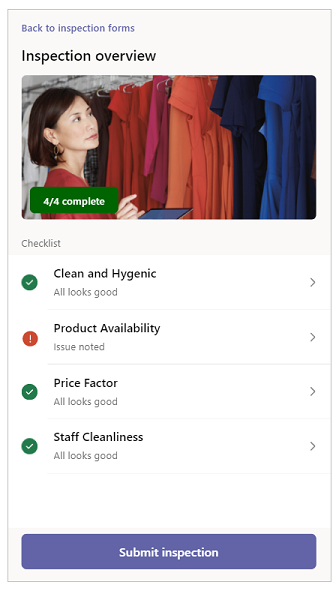
A useful Power App in the real estate (management), insurance, and property management sectors is an inspection app. It allows you to easily document and catalog properties.
For example, add photos and locations, use free-form fields, or add a checklist. This ensures that all data is entered consistently.
A customized inspection app also stores information from SharePoint or from a shared database.
Such Power App ideas are also frequently used in the retail sector.
Vacation Requests
Make it easy for your employees to request time off from their manager using a Power App. This way, they can always see the status of their requests and how many days of time off they have left. They can also find information there about holidays and the different types of leave. Your management team, in turn, can manage all requests from one central location.
Learn more here about how you can streamline internal requests with Power Apps
Inventory Management
A Power App like this can visually show whether a particular product is in stock or not. That information is usually available in an inventory system or an Excel spreadsheet, but it isn't always easy to access.
By scanning a product's barcode or entering the product category, employees can immediately see when a product is ordered and when it will be delivered.
The main advantage of a Power App like this is that it can be linked to Microsoft Dynamics 365, or to other SAP or ERP systems where you manage your inventory. You can also easily integrate the app with your point-of-sale system.
On-site Cost Estimate
A PowerApp can help you quickly calculate the cost of your materials and labor during a customer visit. Your quote is ready right away thanks to the built-in catalog, and you can send the proposal to the customer immediately.
Competition Registration
This is a perfect example of how you can quickly create a Canvas app that’s also visually appealing.
You give users the option to register for a contest and agree to the associated terms and conditions. All registered data is then securely stored.

Book a Meeting Room
Now that working from home, flexible desks, and shared meeting rooms have become an integral part of today’s office landscape, you may be looking for a solution to book office space or meeting rooms. You can link this Power App to Outlook This way, you can transfer your various availability options to the application. Your employees can quickly see what's available and then make a reservation.
Read here to learn how you can easily track office attendance using Power Apps
Want to create your own Power App?
Microsoft Power Platform and low-code solutionsAs you can see, you can quickly digitize common business processes and manual tasks within your own department. You don’t need to be a programmer at all to create professional apps, thanks to the Microsoft Power Platform. In addition, you can Power Apps Integrate with hundreds of other software packages and data sources!


