

Are you sure you have the right address? Address errors are more common than you might think. An incorrect address can cause extra administrative work (e.g., letters that don’t reach their destination), but the impact can also be life-threatening (e.g., if emergency services arrive at the wrong location). Addresses can change, be misspelled, be in the wrong format, and so on. For many reasons, it’s important to have accurate addresses in your CRM system.
You can make sure that Every address in your Microsoft Dynamics 365 environment is automatically verified, corrected, and updated will be. How? Through data integration between your Microsoft Dynamics 365 environment and Informatie Vlaanderen's CRAB.
What is CRAB?
‘CRAB’ stands for ‘Central Reference Address Database’ and is the authentic geographic data source for addresses in Flanders. The CRAB contains all official addresses along with their geographic locations. The data source is managed by the Flemish cities and municipalities, and It is free to use and open to everyone.
Want to learn more about the CRAB? Watch this video:
Always Accurate Addresses in Microsoft Dynamics 365
When you integrate CRAB with Microsoft Dynamics 365, you ensure that every address is verified. This way, you'll always have the correct mailing addresses.
Are you sure the address is:
- is a valid and existing address because it is listed in the CRAB.
- The address is displayed correctly as a mailing address in accordance with the guidelines established by bpost.
The integration—developed by Alistar—of CRAB into Microsoft Dynamics 365 operates on three different levels:
- When entering addresses, you can use the search function, which automatically completes the address so that you can no longer enter an incorrect address.
- All new addresses in Microsoft Dynamics 365 are automatically validated and corrected daily using “CRAB match.”
- Your addresses in Microsoft Dynamics 365 are also automatically updated when changes are made.
Look up an address
Since manually entering addresses often leads to errors, as a CRM user, you can look up this address in the CRAB.
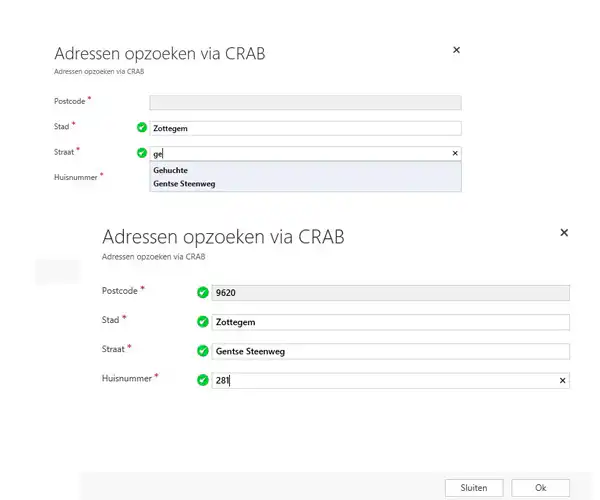
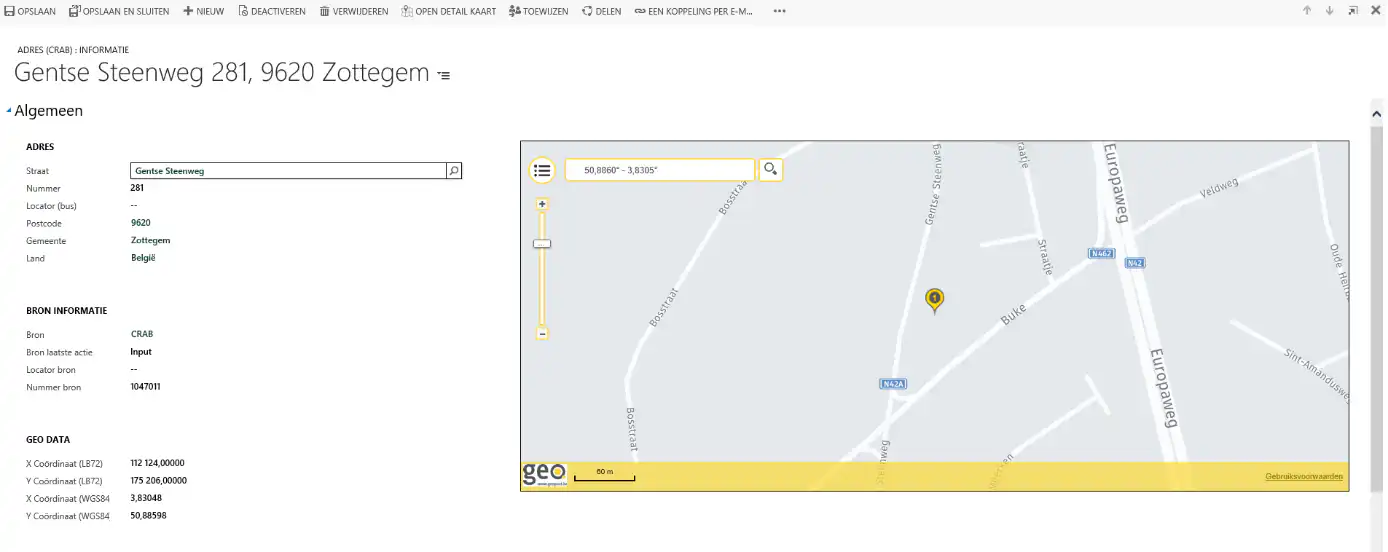
By linking CRAB addresses to companies and contacts, or to events (incidents, reports, accidents, occurrences, etc.), you can see—under a single address—who lives or is located there and what has happened at that location.
In addition, you can perform geographic analyses. Each CRAB address has XY coordinates that you can use to visualize the address on a map. To this end, Alistar also built an integration with Geopoint. Geopunt is a Flemish portal that makes geographic government information accessible to government agencies, citizens, organizations, and businesses.
Address Validation
Address data imported into Microsoft Dynamics 365 via data synchronizations with various data sources (such as the National Register, VKBO, etc.) and manual imports is validated (i.e., CRAB matching). All addresses for which no corresponding CRAB address exists are automatically placed in a separate list. This allows you to manage addresses in a systematic way.
What if an address changes or is no longer valid?
Address changes and deletions are synchronized with the entire CRAB database. In Microsoft Dynamics 365, you can retrieve all addresses that have been modified since the last synchronization. You can then automatically compare this list with the locally stored CRAB addresses, applying only the necessary updates. Similarly, all addresses deleted since the last data synchronization are retrieved and processed locally in Microsoft Dynamics 365.


