

We’ve all been there: in the past, it was difficult for multiple people to work on the same semantic model at the same time. The biggest problem? Power BI models were saved as a single large file, which often led to problems and frustration when people tried to work on the same models simultaneously. Fortunately, that has changed since the introduction of the TMDL/PBIP format.
This new way of working has been around for a while, but how does it actually work in practice? In this blog post, I’ll take you on a journey into the world of modern Power BI development with teams.
PBIP (Power BI Project) files
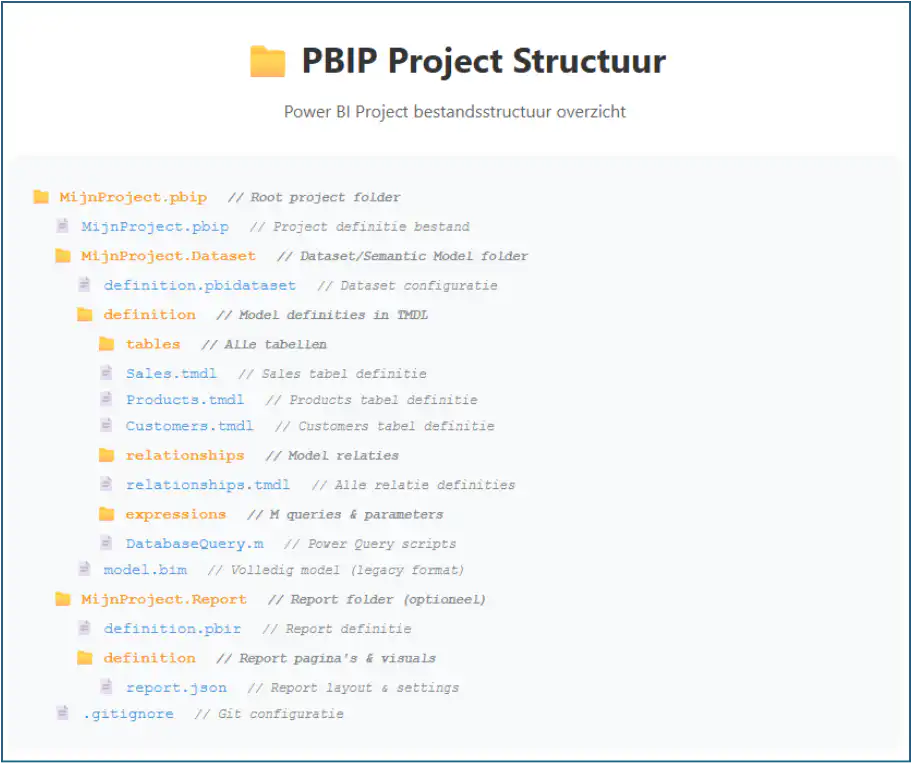
With the introduction of the new PBIP structure, the various components of a semantic model are stored in separate text files written in the TMDL format. These files are specifically designed to be Git-friendly and can therefore be seamlessly integrated with Git and Azure DevOps.
The main advantages of working with PBIP files
- Source control-friendly: Text files that Git can track
- Better collaboration: Multiple people can work on different parts
- Resolving Merge Conflicts: Since everything is in text format, you can manage conflicts more effectively
- Modularity: The report and dataset are separate
- TMDL format: New, more readable definition language for the data model
The modern PBIP format essentially brings the benefits of enterprise development (such as those found in SSAS Tabular) to Power BI Desktop, making it much more professional and scalable for teams.
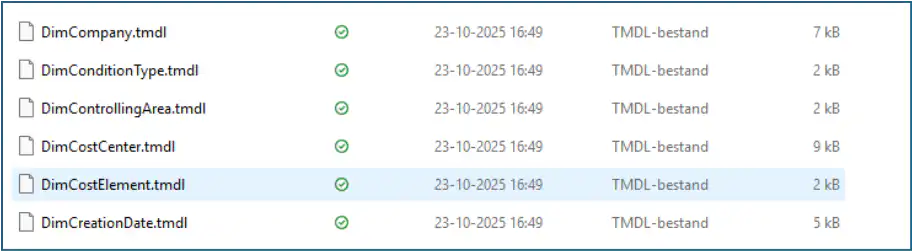
How does it work in practice?
For this blog, we’re using a model from one of our own solutions: BI4SAP Live. The model is located in a Power BI workspace that’s linked to a development branch in Azure DevOps. Changes are transferred from this development branch to a production branch, which in turn is linked to a production workspace.
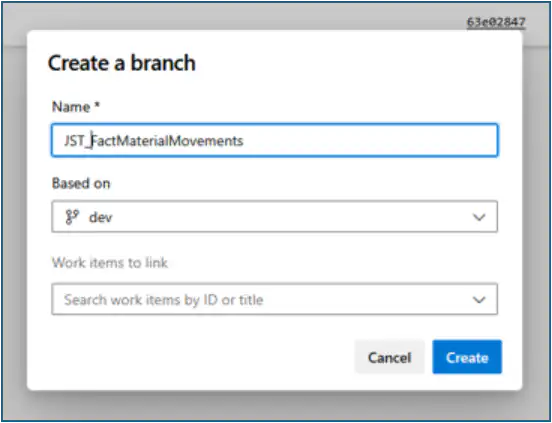
Multiple developers can work on the development branch. A separate feature branch is created for each new feature. These feature branches are then merged back into the development branch via pull requests. This ensures a clear and controlled workflow.
The development process itself can be carried out in various ways:
- Local Development with Tabular Editor in Combination with Power BI Desktop
- Remote development in a personal workspace linked to the feature branch
Let's take a closer look at both methods.
Local Development
By cloning the branch locally—for example, using Visual Studio Code—you can develop the model using the following tools, among others:
- Tabular Editor – Our preferred choice for model development
- Visual Studio Code – For viewing and editing TMDL files
- Power BI Desktop – For testing data and creating metrics
With this approach, you can also test data and create metrics using Power BI Desktop. We prefer the Tabular Editor, but I just wanted to mention that this is also possible with this structure.
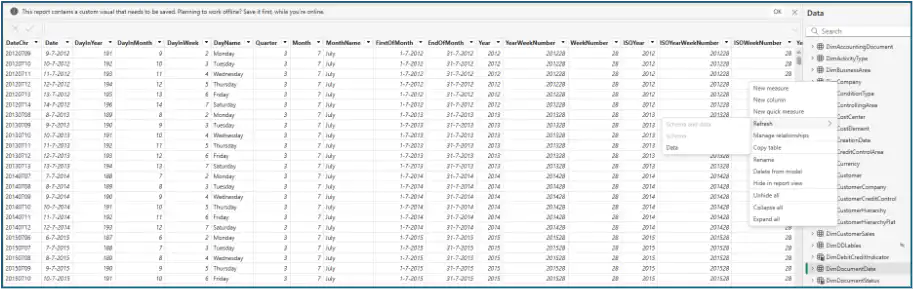

Once development is complete, the changes can be committed to the feature branch. This can be done easily using Visual Studio Code or another Git client of your choice. You have full control over which changes you commit and can add detailed commit messages.
Remote Development
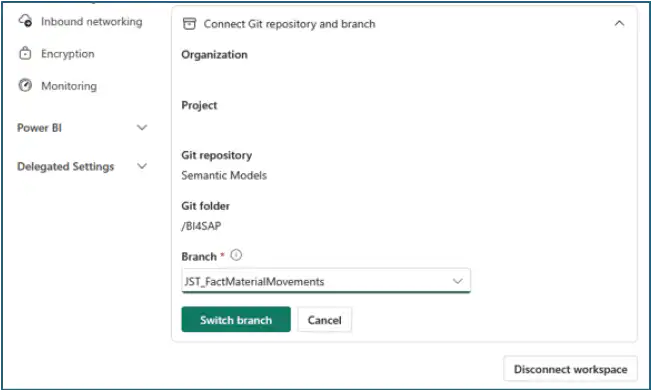
If a developer prefers to develop in a Power BI workspace, they can link the feature branch to their own workspace. Changes can then be made using Tabular Editor, for example, and the data can be refreshed in the usual way for testing purposes. The advantage of working this way is that it does not consume any local resources.
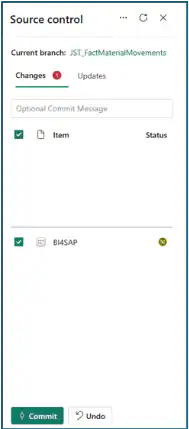
Changes can be committed to the feature branch via the workspace's source control settings.
Mergen
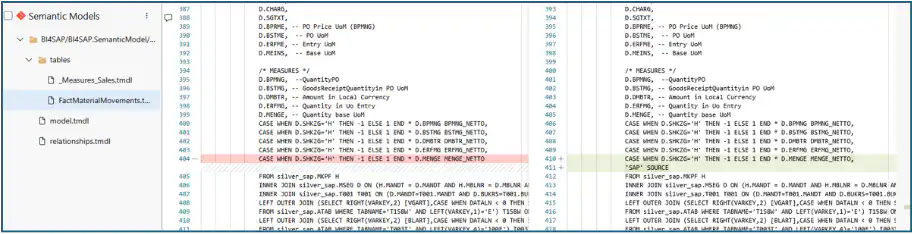
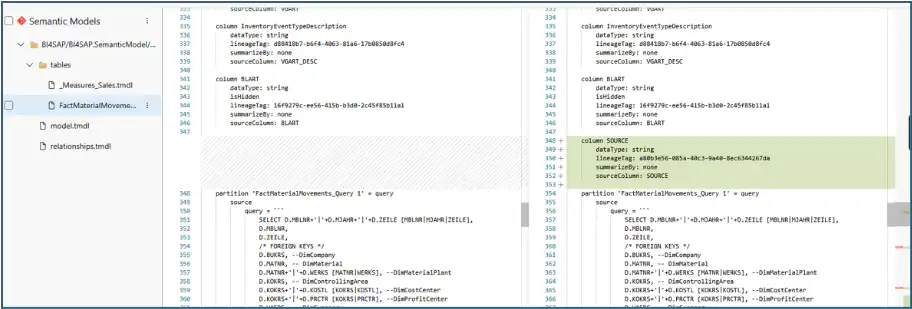
Once the development work is complete, the changes can be merged into the development branch via a pull request. Because the project consists of many different files, this process usually goes smoothly. Any merge conflicts can be resolved within the pull request itself. To ensure this goes smoothly, there are, of course, a few basic rules you need to follow. I’ll explain these briefly in the conclusion.
Conclusion
This method has made developing semantic models as a team much easier and more accessible. In practice, however, there are still a number of considerations that must be taken into account to ensure that the merging of the branches goes as smoothly as possible.
- Try to have each developer work on their own feature within a specific area of information, so that multiple people don't end up modifying the same tables
- Keep the features simple and easy to understand.
- In some cases, a special/central “measurement value” table is used to store all the model’s measurement values. Try to avoid this, because it results in many changes being made to this table by multiple people. Simply keep the measurement values in the fact tables or create a separate table for each information area.
- The `relationships.tmdl` file contains all the relationships in the model, and the `model.tmdl` file contains references to all the tables. These are therefore files that relatively often result in merge conflicts. Since each relationship and each table is on a separate line, these conflicts are easy to resolve. If you know you’ve made changes to these files, you could also rebase your branch before merging.
With a few smart adjustments to your workflow, developing Power BI models with multiple developers is definitely doable. In fact, it’s a pleasant and efficient way of working that takes team collaboration to the next level.


