

As a project manager, you constantly strive to plan and manage your projects correctly, efficiently, and profitably, in line with your customers' expectations. You must ensure a tight schedule that stays within budget and on time. If multiple teams are involved in the project, it’s important to keep all project-specific information accurate and up to date. You must also ensure that working hours, resources, and expenses are accounted for properly. To assign the right project tasks to the right employees, you need to have a thorough understanding of their skills and strengths. … In short, the challenges you face as a project manager are no small matter.
So why not let a project management tool, such as the Project Service Automation app from Microsoft Dynamics 365?
With this Project Service Automation app, you can online your Manage projects successfully from start to finish:
- Identify and follow up on project opportunities
- Estimate costs and schedule work hours
- Select employees and assign them to project tasks
- Approve recorded work hours and expenses
- Centralize project information and share it with colleagues
- Prepare and send invoices to customers
- Analyze the status and profitability of projects
The app brings together the sales process (quotes, proposals, and contracts), project management (scheduling, resource management, time tracking, and analysis), and invoicing into a single system.
Managing Project Management from A to Z

1) Streamlined management of opportunities
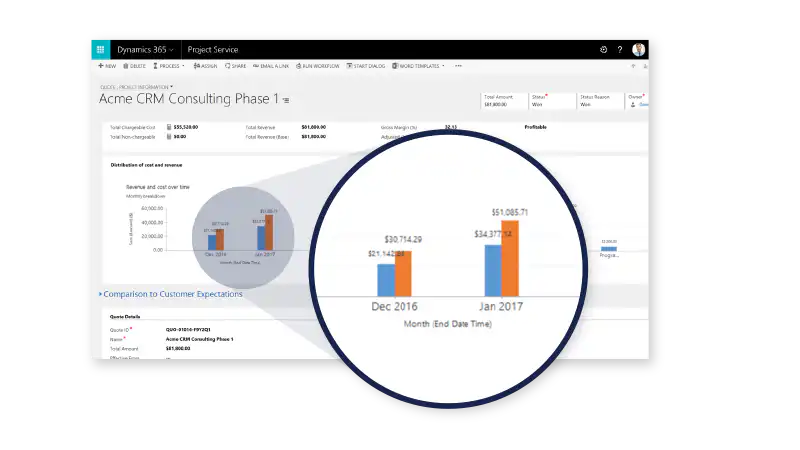
Your sales colleagues can Create project opportunities, view, manage, and track them from the Project Service Automation app. Based on accurate estimates of costs, work hours, resources, and revenue, they can prepare realistic and profitable quotes and send it to potential customers from within the app. If a customer approves the quote, the sales representative can, within the app, draw up a contract, send it to the customer, and link to the project schedule.
2) Efficient project planning
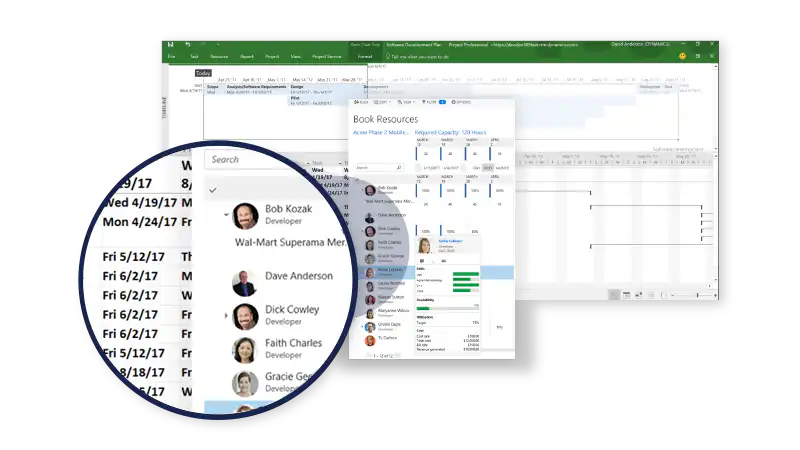
Using standard templates, you can, together with the sales team, Easily work on estimates and schedules. These provide a visual overview of the sequence of project tasks, key deadlines, estimated work hours, required employee skills and responsibilities, estimated revenue and costs, etc.
The standard templates in the Project Service Automation app will definitely save you time if your company regularly offers similar types of projects. They provide a standard set of roles and estimated hours for a specific type of project.
3) Optimal Resource Management
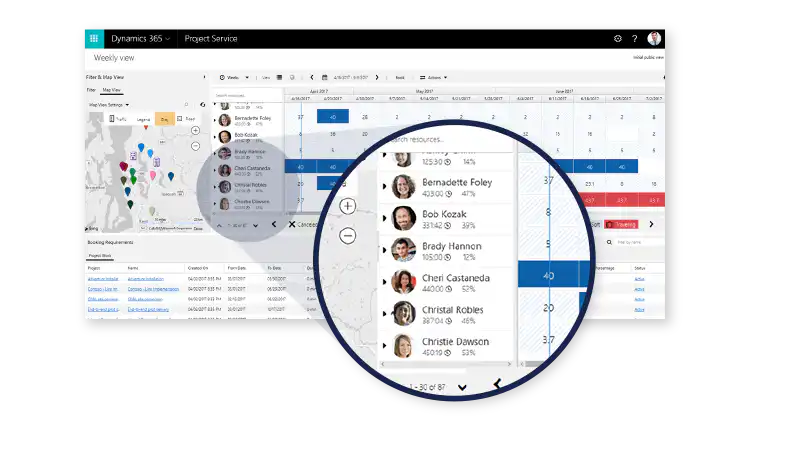
Within the app, you can filter by employees' skills, availability, and interests. This allows you to always assign the right people to the right projects, within the right timeframe. This leads to optimal use of resources, motivated employees, and satisfied customers.
4) Smooth collaboration
If you use the Project Service Automation app, you can facilitate collaboration among all the teams involved. This is because you ensure that it’s not just you, as the project manager, who has access to detailed project information. You keep the Information Takes Center Stage in Microsoft Dynamics 365, which ensures that all relevant colleagues always have access to the most up-to-date information and can therefore collaborate more effectively.
Thanks to the The app's integration capabilities with SharePoint and Office Groups, the various teams can also share project documents, view the team's calendar, and communicate about project results and tasks.
5) Simplified time and expense tracking
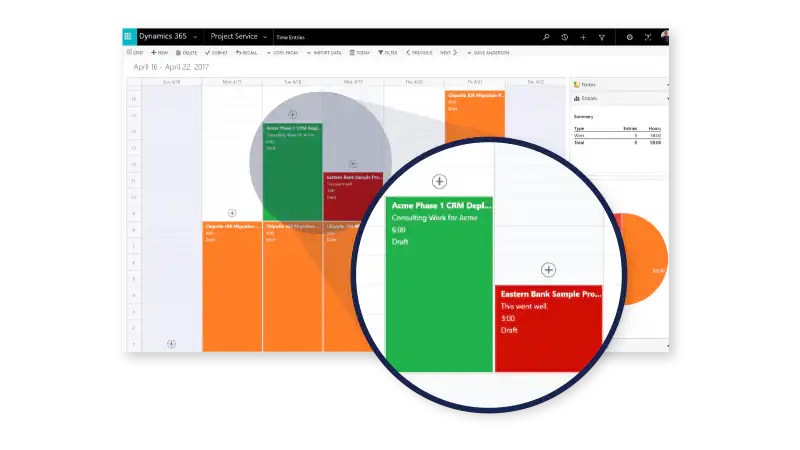
Employees can Easily track work hours, expenses, absences, and vacation days via the web or a mobile app. Project managers, in turn, can review and approve the new entries while maintaining a clear overview of the financial status and timeline of projects.
6) Accurate billing
Because you manage everything related to the project centrally, you can highly accurate invoices Send to your customers from the app online or via email. You can choose to invoice projects automatically or manually. You can also set the frequency at which invoices are generated.
In addition, a project's financial data is automatically saved in Microsoft Dynamics 365. You can then use this data for reporting and analysis, if needed.
7) Real-time analysis
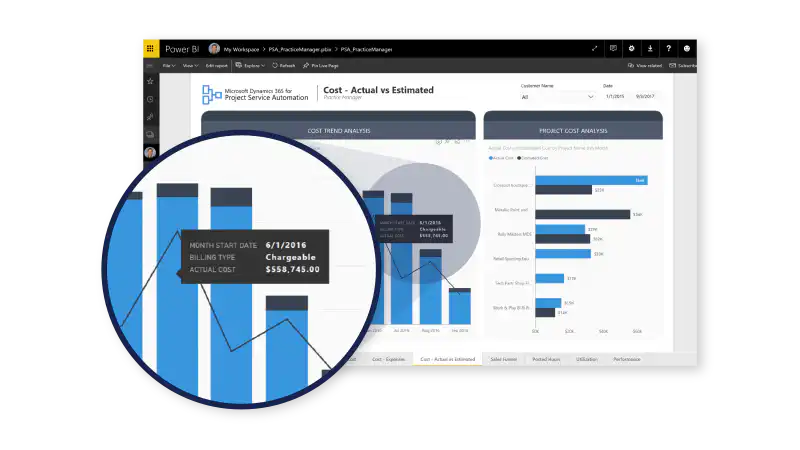
The Project Service Automation app provides customizable dashboards and reports. You can view the status and performance of projects at any time, allowing you to better manage projects and mitigate risks. You always have all project information at your fingertips, even when you’re on the go or don’t always work from the same location.
Not to be confused with Microsoft Project
Do not confuse the Project Service Automation app with Microsoft Project. Microsoft Project is a standalone project management software that also allows you to develop project plans. The Project Service Automation app offers more and links the quoting process to the project process. In addition to project planning, the Project Service Automation app also allows you to create quotes and contracts, link contracts to project plans, monitor and manage project progress, generate invoices, and more.
The Project Service Automation app does provide a Full integration with Microsoft Project. If you're already familiar with Microsoft Project, you can do all your planning work in your Microsoft Project environment and continue to track the project's progress using the Project Service Automation app in Microsoft Dynamics 365.


