
How much time—and money—could you save if you could use AI to ‘automatically’ extract data from documents? It would finally put an end to a lot of manual and repetitive tasks.
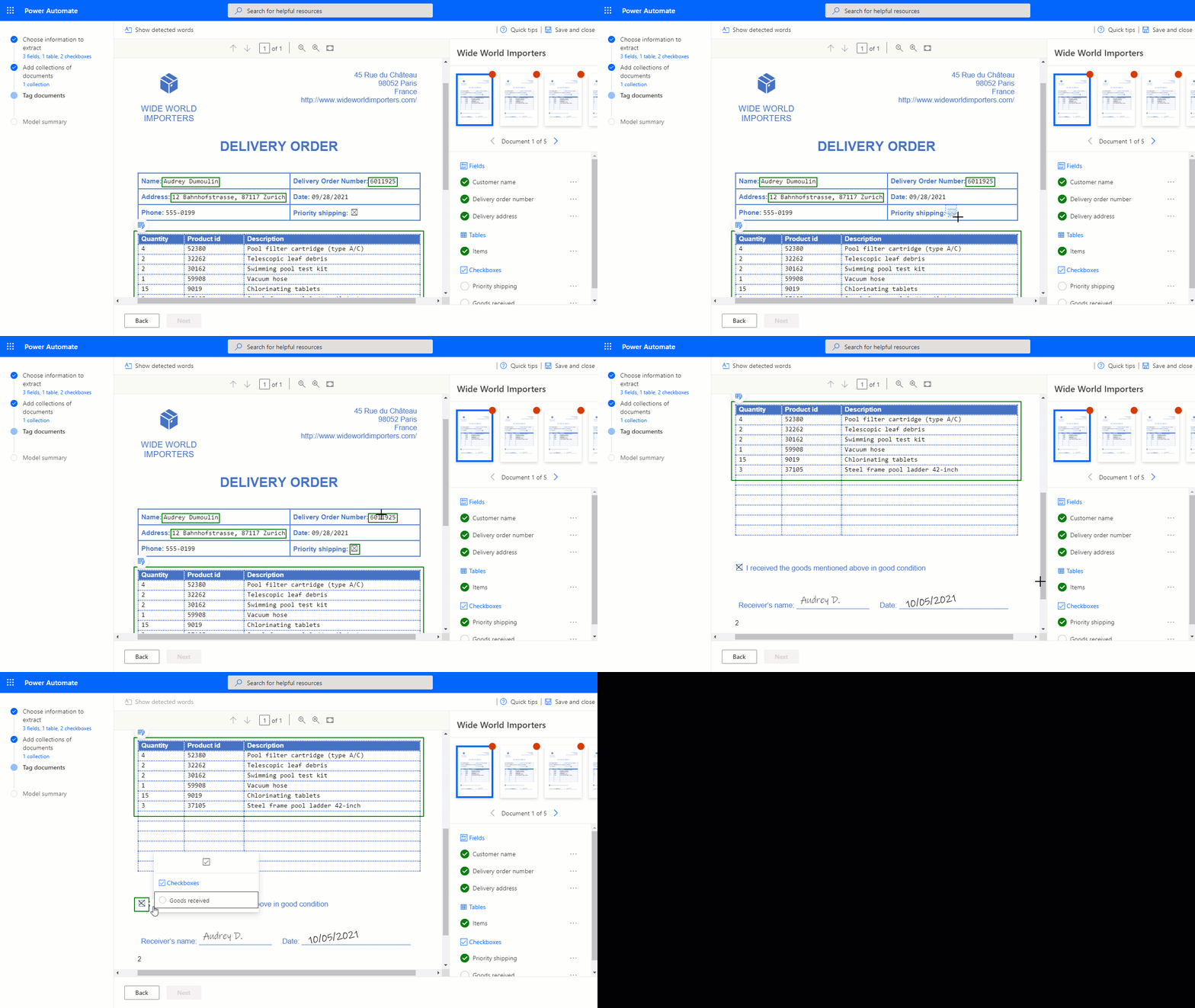
Thanks to Microsoft AI Builder You can quickly import data from paper or PDF documents into handy tables. Unlike other AI technologies, which require more training, AI Builder for form and document scanning needs only five (!) sample documents to create a well-functioning Power App to make.
This AI model identifies the structure of your documents—based on your examples—to extract text from any other matching form. Train your AI model and define what information should be extracted from your form documents.
One of the applications of this AI Builder model is check recognition, as this is very useful for companies that receive a large number of payments by check. This allows them to process the checks quickly and easily import the information into their systems.
Another example of form and document scanning is explained below: scanning payment receipts.
Want to develop your own Power Apps? We'd be happy to help!
The possibilities of Microsoft Power Apps They're incredibly extensive, and you don't need any specific prior knowledge to get started. Sounds great, right? Even so, maybe you're still not quite sure where to start?
If you're determined to figure it out on your own, check this out this blog post, with tips for Power Apps beginners.
Or maybe you'd like a little more? Strategy, customization, integrations, reporting, … Through our Power Apps page You can easily contact our experienced Power Apps team to build apps, automate a workflow, or optimize your existing app.


