
Business Central It’s a very user-friendly platform, so it’s easy to learn how to use it at your own pace. Microsoft is now even rolling out an update that makes this even easier with Copilot. In this blog, discover how you can help people get started with Business Central even faster.
How can I learn to use Business Central with Copilot?
A ERP Learning how to use it can seem a bit overwhelming at first, but this update is designed to guide new users through the process. It integrates the AI assistant Copilot as a tool that provides more information about the fields, and Microsoft hopes this will reduce the likelihood of confusion and ambiguity.
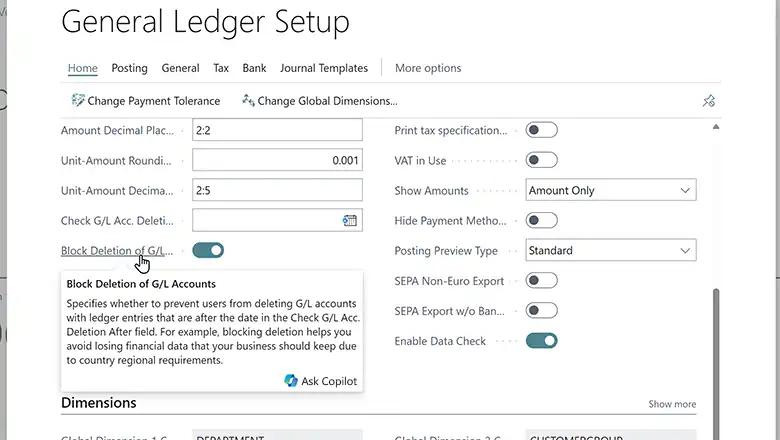
When you select a field and then click ‘Ask Copilot,’ the Copilot chat window opens automatically and provides you with more information about the field. You can start a conversation and ask questions, allowing you to quickly find the information you need without getting lost in a sea of documents. You can still search the Microsoft Learn knowledge base for an answer to your question, but with this update, you can also find those answers right within Business Central itself.
Think of it as a personal guide that explains things and walks you through the process if you want to learn how to use Business Central. It’s aimed at new users, but even if you already have experience with the platform, you can deepen your knowledge in an accessible and efficient way. Here’s a quick example:
Would you like to learn more about Business Central? Click here!


