
Microsoft’s translytical task flow enables seamless data write-back in Power BI with the Fabric SQL database
The business intelligence landscape is evolving, and with Translytical Task Flow, Microsoft is adding an interesting feature that combines data consumption and data interaction. This allows users to perform data write-back operations directly from Power BI reports using Fabric SQL Database as the backend.
This is the first practical article on translytical task flow. Check back soon for the second technical article, which will include a step-by-step guide on how to implement this yourself.
What is translytical task flow?
Translytical Task Flow is Microsoft’s solution for bidirectional data flows in Power BI. Traditionally, BI tools focused primarily on data visualization and consumption. Users could view, filter, and analyze data, but writing changes back to the source systems required separate processes or applications.
Incidentally, write-back functionality in BI tools is nothing new. SAP BusinessObjects offered similar capabilities more than ten years ago under the heading ‘collaboration.’ Microsoft is relatively late to the game here, but the integration with the Fabric ecosystem does make it more accessible to organizations that are already working within the Microsoft stack.
This feature transforms static reports into interactive applications where business users can make decisions and implement changes without leaving their familiar Power BI environment.
Integration with the Fabric SQL database
The integration with Microsoft Fabric’s SQL database enables this write-back functionality. Here’s why this integration is interesting:
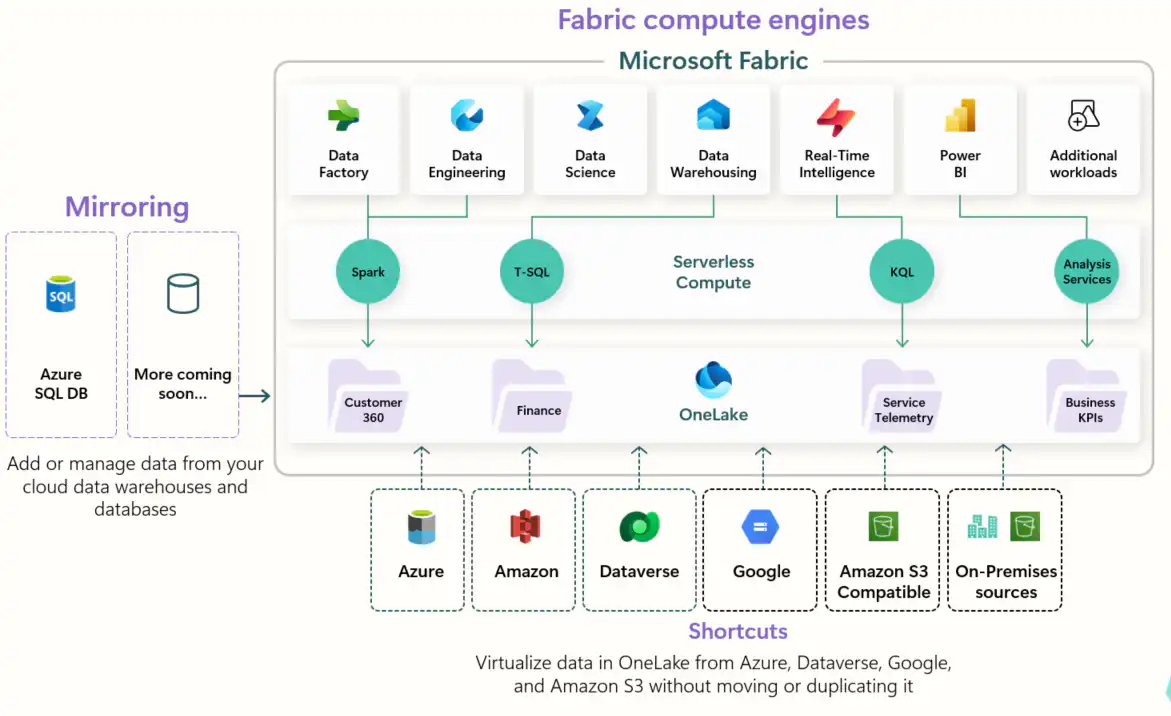
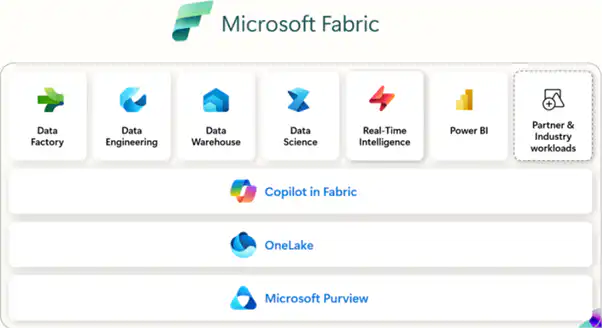
Unified analytics platform
Microsoft Fabric offers a unified analytics solution that connects all data experiences in one place. When combined with Power BI’s visualization capabilities and SQL databases’ transactional capabilities, users get the best of both worlds: analytical insights and operational actions in a single platform.
Simplified Architecture
Previously, implementing write-back functionality in Power BI required complex workarounds using Power Apps, Power Automate, or custom APIs. With Fabric SQL Database as the backend, the architecture becomes simpler and easier to maintain—although those alternatives remain relevant in many scenarios (see below).
Real-time operations
The integration enables real-time data operations. Changes made through Power BI reports are immediately reflected in the underlying database, ensuring data consistency and enabling immediate feedback loops.
Key use cases for data write-back
The ability to write data back from Power BI reports opens up practical applications in various business scenarios:
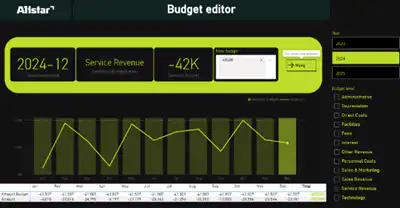
Budget Planning and Forecasting
Finance teams can view current budget performance in Power BI dashboards and make real-time adjustments to future forecasts or budget allocations directly within the reporting interface.
Inventory Management
Supply chain managers can monitor inventory levels through interactive dashboards and immediately update reorder points, safety stock levels, or supplier information when anomalies are detected.
Sales Territory Management
Sales leaders can visualize territorial performance and make immediate adjustments to territorial assignments, quota distributions, or commission structures based on real-time performance data.
Quality Control and Compliance
Production teams can view quality metrics on their dashboards and immediately log corrective actions, update process parameters, or flag items for further inspection.
Resource Planning
HR departments can analyze personnel data and make real-time updates to staffing levels, skill requirements, or project assignments based on current capacity and demand.
Alternatives to Write-Back in Power BI
Translytical task flow isn't the only way to implement write-back from Power BI. There are several alternatives, each with its own pros and cons. Important to note: Translytical Task Flow is still relatively new and is currently at the prototype stage. For production scenarios, the alternatives are often more robust.
Power Automate
Power Automate can be triggered from Power BI using buttons or data-driven alerts and then write data to virtually any data source.
- Advantages: No code required, extensive connector library, seamless integration with Microsoft 365, built-in audit trail, approval workflows available
- Disadvantages: Additional licensing costs, latency in complex workflows, limited error handling, difficult to debug
Azure Functions
Custom APIs via Azure Functions provide full control over the write-back logic and can be called from Power BI using REST calls.
- Advantages: Full control over logic, scalable, capable of implementing complex validation and business rules, cost-effective for low-volume operations
- Disadvantages: Requires development expertise; code maintenance is necessary; security must be implemented independently
Power Apps Embedded
A Power App can be embedded in a Power BI report and offers native form and input capabilities.
- Advantages: Extensive form capabilities, direct Dataverse integration, low-code, support for offline scenarios
- Disadvantages: Additional license, context switching for the user, limited integration with report filters
Translytical Task Flow (Fabric)
The new native solution within the Fabric ecosystem.
- Advantages: Native integration with Power BI, no additional tools required, real-time, included with the Fabric license
- Disadvantages: Still in development (prototype stage), limited functionality, requires a Fabric SQL database, security must be implemented in the code
Comparison of Write-Back Methods
| Criterion | Power Automate | Azure Functions | Power Apps | Task Flow |
| Complexity | Low | High | Low | Medium |
| Maturity | High | High | High | Low |
| Additional license | Yes | No* | Yes | No** |
| Real-time | No | Yes | Yes | Yes |
| Native in Power BI | Partially | No | Embed | Yes |
| Out-of-the-box security | Yes | No | Yes | No |
Technical Implementation Approach
Implementing translytical task flow with the Fabric SQL database involves several core components that work together:
Implementing translytical task flow with the Fabric SQL database involves several core components that work together:
1. Fabric SQL Database Setup
The first step is to set up a Fabric SQL database that serves as both an analytical data source and a write-back target. This database must be properly configured with the necessary tables, stored procedures, and security permissions to support both read and write operations.
2. Power BI Report Design
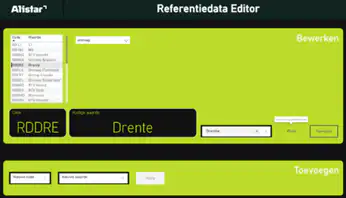
Reports should be designed with interactive elements that support data entry—these can include custom visuals, embedded forms, or parameter controls that capture user input and translate it into database operations
2. Power BI Report Design
Reports should be designed with interactive elements that support data entry—these can include custom visuals, embedded forms, or parameter controls that capture user input and translate it into database operations
3. Write-back logic
The core functionality is based on establishing secure connections between Power BI and the Fabric SQL database, implementing proper validation and error handling, and ensuring data integrity during the write-back process.
4. Security and Governance
This is an important consideration in translytical task flow. Contrary to what you might expect, the standard SQL Server security not for this functionality. This is because all queries on the Fabric SQL database are executed within the context of the owner of the User Data Functions (UDF), not within the context of the end user.
This means that row-level security at the database level is not automatically applied based on the logged-in user. Therefore, you cannot simply rely on existing RLS configurations in your SQL database. Instead, you must implement the permission logic yourself in the code of your User Data Function. The UDF receives information about the calling user, and based on that, you can determine within your code which data the user is allowed to read or write.
In practical terms, this means that for production deployments, you’ll need to build audit logging, authorization checks, and any approval workflows yourself within your UDF code. This involves additional development work that alternatives such as Power Automate or Power Apps often provide out-of-the-box.
Considerations and Best Practices
Successful implementation requires careful consideration of various factors:
Data Validation and Business Rules
Implementing robust validation logic is crucial for ensuring data integrity and preventing invalid or harmful data changes. Since standard database security does not work, this validation must take place in the UDF code.
User Training and Change Management
Users need proper training not only on how to use the new features, but also on the responsibilities that come with being able to modify operational data.
Performance Optimization
Write-back operations can affect system performance. Proper indexing, connection pooling, and query optimization are essential.
Backup and Recovery
When users make direct changes to data, comprehensive backup strategies and the ability to audit and potentially roll back changes become critical.
The Future of Interactive Analytics
Translytical task flow is a step toward interactive analytics platforms. As this technology continues to evolve, we can expect more advanced capabilities, including advanced workflow integration, AI-driven validation and suggestions, improved mobile write-back capabilities, deeper integration with other Microsoft 365 applications, and more advanced approval and governance workflows.
Conclusion
Translytical task flow with Fabric SQL database write-back is an interesting addition to the Microsoft BI landscape. The functionality is still in its early stages and is currently at the prototype level, but for organizations that are already fully operating within the Fabric ecosystem, it offers an accessible way to implement write-back.
For production scenarios with strict security requirements or complex workflows, existing alternatives such as Power Automate, Azure Functions, or Power Apps are often still the better choice. The key to success lies in choosing the right tool for the right use case, careful planning, and comprehensive user training.
Ready to explore translytical task flow for your organization?
Request a demo today or contact our experts for personalized advice.


