5 Major Benefits of the Unified Interface
1. Responsive design
The Unified Interface has a responsive design that adapts flexibly to browsers, devices, and screen sizes. This ensures a consistent user experience. Whether you're working on your desktop, tablet, or phone, you can always use your CRM application in the same way.

2. Navigation Bar
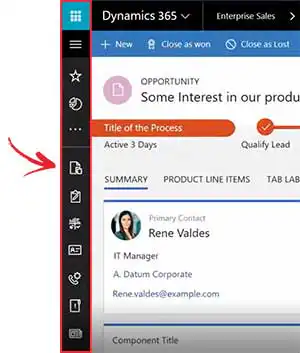
The Unified Interface navigation bar is discreetly located on the left and can be folded out. As a result, the bar doesn't take up much space, leaving more room to display useful CRM data. It also provides quick access to recently viewed records and pinned favorites. With the new menu options, you can quickly navigate through the various apps in the system.
3. Timeline View
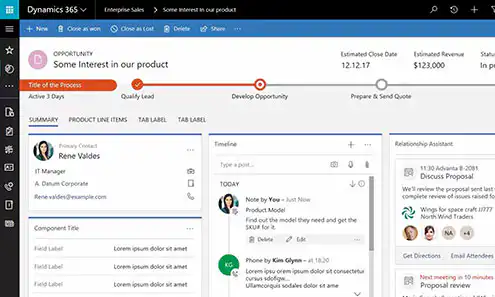
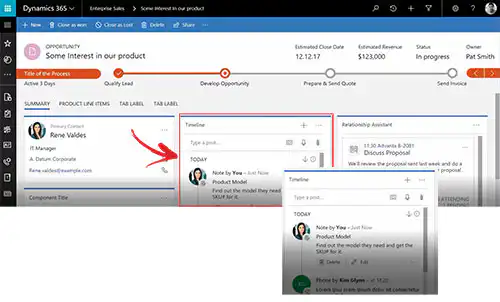
Thanks to the clear timeline display You can keep track of all the information about a record (customer, lead, company, opportunity) on a single page instead of across multiple tabs. You’ll see all related messages, voice attachments, emails, comments, and more listed one below the other in chronological order. This way, you won’t miss a single piece of communication or important information about your customers or leads. You can view, download, or open attachments directly from the timeline without having to open the record. You can also create activities, messages, and notes directly from the timeline.
4. Business Process Flows
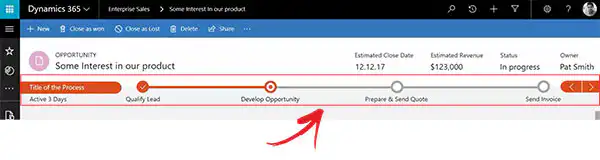
In the Unified Interface, business process flows (Business Process Flows) displayed in a more compact format than in the Web Interface. They are collapsed, so they take up less screen space. You can expand, drag, and pin the flows to the side of your screen so they remain visible as you navigate to other forms. This is especially useful when you need to perform complex steps at a certain stage of the business process.
5. Interactive dashboards
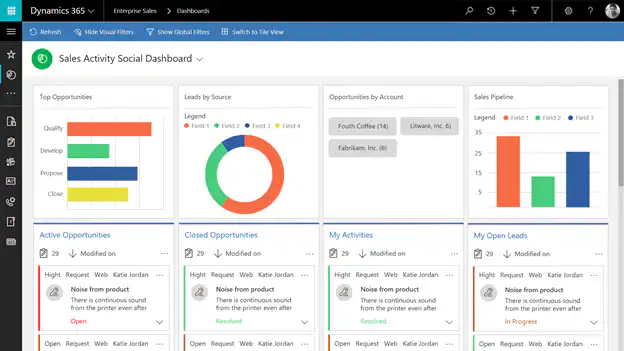
You'll get access to interactive dashboards and charts. These dashboards are available for all record types, and records are actively filtered. This means that only the records that are relevant to you or your employees are displayed.