
In October 2024, the new semi-annual release of Business Central was released: Microsoft Dynamics 365 Business Central 2024 Release Wave 2. This release will be rolled out via platform version 25.0 throughout October 2024. We would like to inform you, as a user, about the most important user experience changes you may encounter in this version of Business Central.
Improvements to Projects and Services
Following the optimizations to projects and services in the 2024 Release Wave 1, Microsoft is continuing this momentum into the second release of 2024.
Based on feedback regarding previous changes, the following has been added:
- Added a "Project Sales Invoice" page action on the project card and various page actions to the project list to allow users to navigate to specific project pages more quickly.
- Rename certain project pages to avoid conflicts with other actions.
- Ability to view item availability for project planning rules.
- Ability to quickly and easily create purchase orders manually based on project planning rules.
- Ability to add detailed texts with translations to project planning rules, for example, to communicate information about special prices, terms, or instructions to third parties.
- Various page shortcuts have been added to the service pages to allow users to navigate to specific service pages more quickly.
- The ‘Your Reference’ field is now available by default on service documents.
- It is now possible to create a service order from a service quote, similar to the functionality available for sales.
Other improvements
To improve the user experience, several other changes have been implemented:
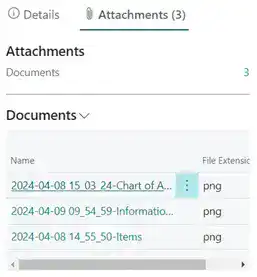
- When uploading attachments, it is now possible to upload multiple files at the same time.
- A new screen has been added to the "Attachments" section to display the attached documents.
- Column widths can now be adjusted without having to enable personalization mode.
- New search function for data in list screens. The new search function is more flexible, making it easier to find what you're looking for. In addition, you can use quotation marks to search for an exact value, just like in modern search engines.
Need more information?
On the Microsoft's website You can find more information about the new and planned features for Dynamics 365 Business Central.


