Microsoft will soon release an update for Business Central that will allow you to share error messages with colleagues or experts, helping to resolve issues more quickly. Below, we’ll take a closer look at this update.
The new update is a useful feature for teams that frequently work in Business Central. By sharing errors, Business Central enables you to collaborate more efficiently. Instead of trying to resolve the error on your own, you can now share the details of the error with your team or experts. This not only helps find a solution faster, but also allows you to share knowledge that can help resolve future issues.
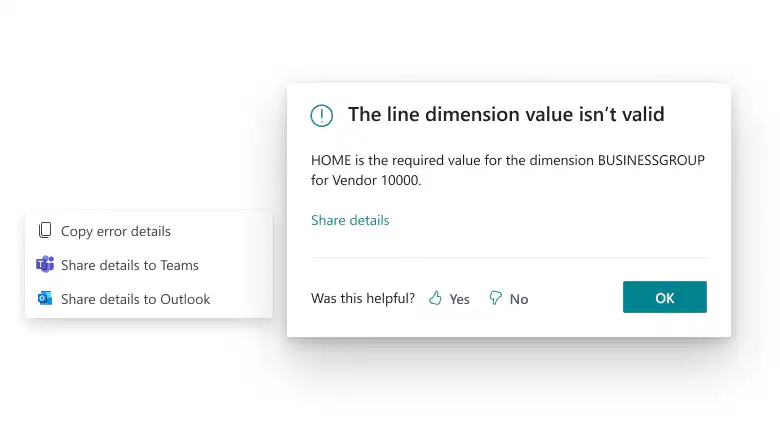
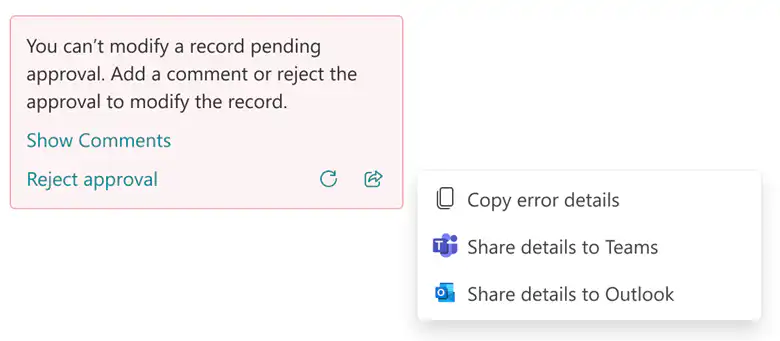
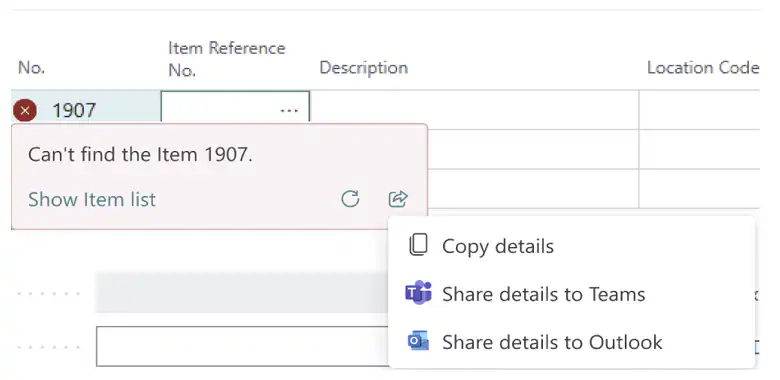
Specifically: If you get an error message in other software, you often can’t copy the text, so you first have to take a screenshot, save it, and send it to your colleague to ask why you can’t do X or Y. You can also share your screen, but this is all very cumbersome. In this update, you can simply ask for help by sending the error message via a handy button in an email or Teams chat. The error message information includes the exact error text, the error code, and other relevant details to clearly communicate specific issues.
Below are a few examples of possible error messages.
Want to learn more about Business Central in Microsoft Dynamics 365? Discover HERE How to connect all the teams in your company so they can adapt more quickly and achieve results!