
To view or modify a user group in Exact Proquro (P2P), follow these steps:
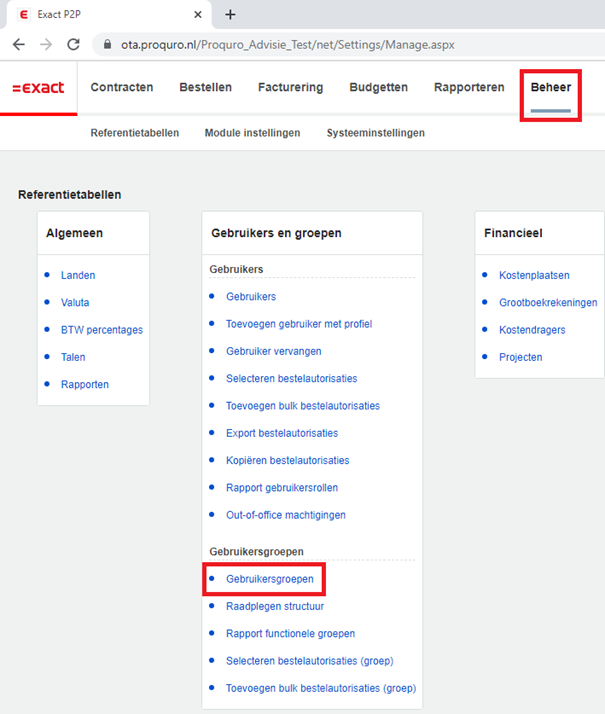
Step 1. Navigate to User Groups via the Administration module
Open the [Administration] module and navigate to users via Users and Groups > User Groups > User Groups.
Step 2. Select the criteria and proceed
In this menu, enter the desired group name, and when you're done, click Search.
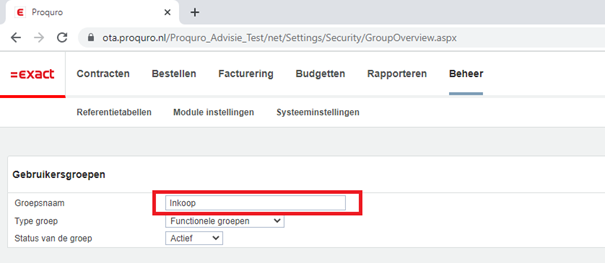
Edit the information, and then click Save.
