What Can AI in Dynamics 365 Do for You?
From Less Paperwork to Self-Driving Processes
AI in Dynamics 365 goes far beyond simply generating text. It works with your customer data, interactions, documents, and processes, and is taking more and more work off your hands.

Less paperwork
Let AI summarize conversations and customer information, supplement data, prepare content, and take over repetitive tasks.

Taking the Right Action Faster
Use customer data and historical interactions to identify relevant insights, risks, and next steps.

Helping Customers Faster
Give employees faster access to the right context and knowledge, or let AI handle certain questions and actions on its own.

Automating Processes
Let agents gather information, reason, and take actions across multiple steps, with human intervention where necessary.
From Copilot to AI Agents
From AI Assistant to AI Agent
Not every AI solution has to be an automated process. The right application depends on what you want to achieve and how much responsibility you give to AI.
Level 1
AI helps you process information.
Example: Summarize a client file.
Level 2
AI analyzes and provides recommendations.
Example: Proposes the next marketing campaign.
Level 3
AI performs a specific task.
Example: Update CRM data.
Level 4
AI performs multiple steps.
Example: Investigates, processes, and escalates when necessary.
At every level, people remain responsible. You decide which tasks AI will prepare, carry out, or handle independently, and where an employee will validate them.
AI in Dynamics 365
AI at Every Step of Your Customer Journey
You can find details for each application on the pages for each Dynamics 365 app.
Sales
Microsoft Dynamics 365 Sales
Sell Smarter
Prepare for customer meetings, gain insight into opportunities more quickly, reduce CRM administrative tasks, and automate sales follow-ups.
Marketing
Microsoft Dynamics 365 Customer Insights
Understand and Reach Your Customers
Use customer and behavioral data for smarter segmentation, personalization, content, and customer journeys.
Customer Service
Microsoft Dynamics 365 Customer Service
Solve problems faster
Summarize cases and conversations, find relevant information more quickly, and support or automate the handling of customer inquiries.
Field Service
Microsoft Dynamics 365 Field Service
From Reactive to Proactive
Support technicians, optimize scheduling, and combine service and IoT data to provide more proactive service.
Your Own AI Agents
Not every AI use case fits into a standard feature
Microsoft Dynamics 365 offers an increasing amount of built-in AI and Copilot functionality. But sometimes you want to have AI work with your own knowledge, business rules, or processes. Using Microsoft Copilot Studio and Power Platform, we build agents that leverage your existing Dynamics 365 and Dataverse data and perform actions within your processes.
Your CRM data will serve as the foundation for AI
Are you already using Dynamics 365? If so, you won't need to rebuild your customer data, processes, roles, relationships, and history to implement AI.
Examples
Preparing for Appointments
An agent who gathers customer and account information for an appointment
Handling Cases
A service agent who consults the knowledge base and creates or escalates a case
CRM Data in Order
An agent who verifies data and updates CRM records
Internal knowledge
A knowledge agent based on business information
Workflows
An agent that initiates a follow-up process via Power Automate
The Alistar Approach
Standard whenever possible.
Customized solutions that make a difference.
We start with the process you want to improve and then choose the technology that fits that process.
Step 1
Discover where AI adds value
Together, we map out processes, data, and existing technology, and select use cases that offer tangible added value.
- AI Assessment
- AI Inspiration Session
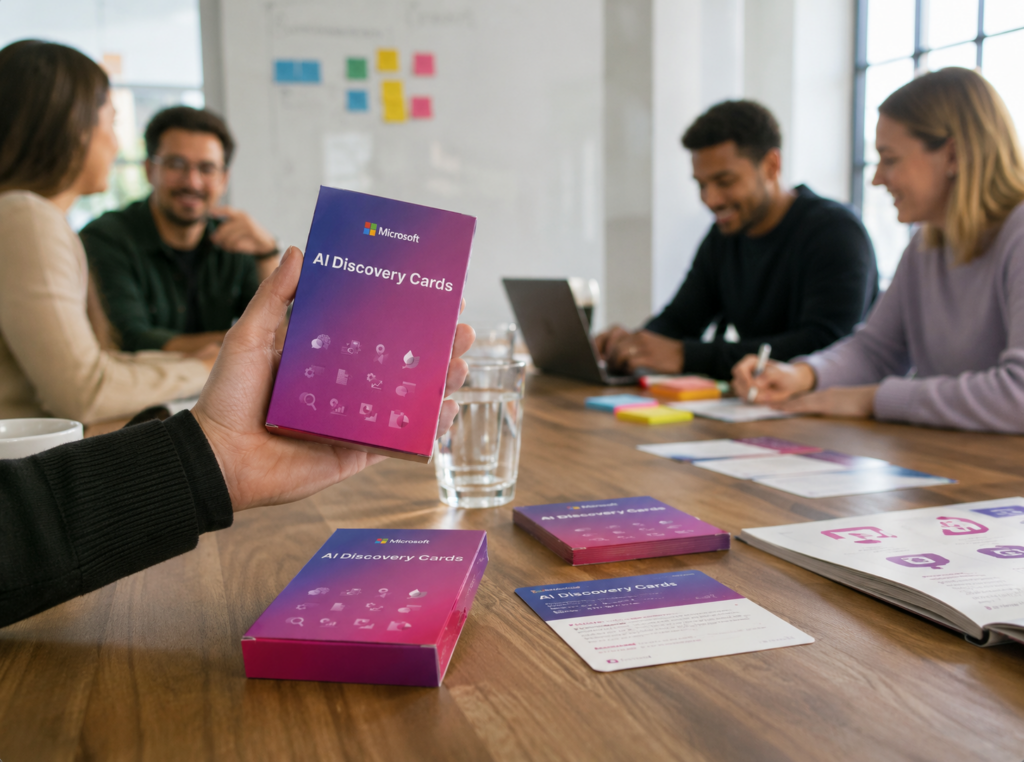
- AI Cards Workshop
Step 2
Choose the simplest solution that works
We start with the simplest Microsoft technology that delivers the desired result.
- Dynamics 365 AI and Copilot
If Microsoft already offers this feature as standard - Copilot Studio and Power Platform
For an agent, workflow, or extension related to your own processes and data - Custom AI and Azure
When the use case goes beyond standard and low-code solutions
Step 3
Build AI That Remains Manageable
From the design phase onward, we take into account security, data access, governance, lifecycle management, and human oversight.
- Security and Access Rights
- Data Governance
- Human oversight
- Training and Adoption
FAQ
What You Need to Know About AI in Microsoft Dynamics 365
AI in Dynamics 365 supports employees in sales, customer service, marketing, and field service. It summarizes conversations and cases, provides insights and recommendations, updates data, and can also perform multiple steps in a process through agents.
Copilot assists an employee while they work: summarizing, making suggestions, and preparing responses. An agent goes a step further. It gathers information, carries out actions across multiple steps, and involves an employee when necessary.
Yes. With Microsoft Copilot Studio and Power Platform, you can build agents that work with your Dynamics 365 and Dataverse data, your knowledge, and your processes. Alistar helps you determine which use case is best suited for this.
No. If you're already using Dynamics 365, AI builds on the customer data, processes, security roles, and history you already have.
Dynamics 365 and Copilot Studio run on the same platform: Power Platform and Dataverse. This allows an agent to access your CRM data directly and perform actions in your Dynamics apps.
You determine which data and actions an agent is allowed to use, within the same access rights and security roles as the rest of your Dynamics 365 environment. You also define which steps the agent performs independently and when an employee validates or takes over. We handle this from the design phase onward, along with data governance and monitoring of the agent’s actions.
Choose a partner that tackles Dynamics 365 and AI together. That way, AI will work with the data, processes, and permissions your CRM already has. Also, check what Microsoft itself confirms. Alistar is a Microsoft Solutions Partner for AI Business Solutions and holds Microsoft specializations in Sales, Service, Microsoft 365 Copilot, and Agentic Business Solutions. Be sure to ask for references where AI is integrated into a real-world customer process, and inquire about how the partner handles governance and human oversight.
Getting Started
Where can AI make a difference in your customer processes today?
Do you already know which process you want to tackle with AI? Contact us, and we’d be happy to work with you to explore your AI use case in sales, service, or marketing. We’ll identify where Copilot, an AI agent, or automation can truly make a difference.
Not sure which process to tackle first or where you can make the biggest impact? Request a free Business Process Optimization Scan and work with our experts to identify the greatest opportunities for optimization. You’ll receive an overview of the processes with the greatest impact and initial advice on which ones to tackle first.